

Whether or not you agree with Black Friday is not what’s up for discussion here… The fact that you can get some serious price reductions, however, is! Here’s a very quick round-up of the top 5 deals we think are great!!
1. Black Friday Amazon Echo Devices
2nd Gen Echo Show - £169.99 (was £219.99)
Echo Spot - £89.99 (was £139.99)
All-new Echo Dot - £24.99 (was £49.99)
Some really serious savings here on all their devices. Go check them out!
2. LG (at John Lewis)
Save £2,000 on this insane television. I’ve seen one of these in action and they are incredible. Flexible and thinner than a table mat it really does feel like you have an extra window in your wall.
- LG OLED65W8PLA Signature OLED HDR 4K Ultra HD Smart TV, 65" with Freeview Play/Freesat HD, Picture-On-Wall Design & Dolby Atmos Sound Base Unit, Ultra HD Certified, Black. -
Now - £3,999.00 (was £5,999)
4 grand is a lot to spend on a new TV sure, but with manufacturers starting to release 8K TVs (I know, I know, ridiculous!), some great deals on the ‘older’ 4K top of the pile lot can be found.
Head over to John Lewis for this one.
3. Black Friday at Sonos
Some pretty decent savings here if you’re in the market for some new Sonos equipment. They’re obviously aiming at someone who’s putting together a home cinema set up here…
Sonos One - £174 (was £199)
Beam - £349 (was £399)
Sub - £599 (was £699)
Check it out here.
3. Lakeland KitchenAid Black Friday Deal
For any keen cook who wants to keep the retro good looks and solid reliability of KitchenAid’s Artisan 4.8 Litre Stand Mixer, but not has it dominate the room, this Matte Grey version is ideal. And so is the current price!
KitchenAid Artisan 4.8L Stand Mixer - £299 (was £499)
For all the best Lakeland deals click here.
4. HTC Vive
For gamers and VR enthusiasts, this HTC Vive deal is up there with the best. Save £100 on this puppy, if you have the computer to run it...
If you don't... see No. 4 below!
HTC Vive - £499 (was £599)
4. Scan Computers
If you’re keen on the above HTC Vive but have an aging computer, head over to Scan Computers and take advantage of their huge sale on everything from graphics cards to full desktops and laptops. Some very good savings here!
So that's it for this brief round-up. Happy shopping!!
Visit our website lamedia.co.uk and if you have any questions or simply want to let us know what we missed... e-mail us at louise@lamedia.co.uk or give us a call on 0131 622 0220.
It’s considerably easier nowadays to find some pretty useful kit to make your smart home dream come true. And the great thing is, a lot of it actually works. With these smart home articles, I will try and identify what, in my opinion, are the best smart options for your home as of this year (2018).
The most recognised brands in the smart home market include; Amazon, Google, Philips, Nest, and Tado but there are many many more. The first thing to think about when creating your smart home is what will make your life easier. What will improve things rather than make things more complicated and thus defeat the point of the exercise! You should also consider, and this IS important, what ecosystem you’re entering into. By that, I mean are your devices going to all talk to each other. Will they be compatible and work WITH each other rather than having to use five third-party Apps… Which can be frustrating.
So what’s the best smart home ecosystem? We’ll start with ‘Works with Nest’.
Works with Nest
Nest has been in the smart home business since 2010, with the company’s first product – the original Nest Learning Thermostat – which hit the shops in late 2011. Since then, Nest Labs has expanded into multiple smart home categories and there is now a range of slick, well-designed connected devices on sale carrying the Nest name.
Nest Labs is owned by Alphabet (who owns Google) with the Mountain View giant splashing out over $3 billion for Tony Fadell's company back in 2014. The nest is now actually being rolled back into Google, so expect higher integration with Google Assistant. The nest is a huge player in the smart home market and a good place to start your smart home.
Nest smart home products
Nest Thermostat
Nests' first product which hit the shelves in late 2011, was the Nest Learning Thermostat. Marketed as the first actually ‘smart’ thermostat, its selling point was that it could learn your behaviour and then base your heating needs around you.
A very nice-looking device that connects to your boiler via the Heat-link, which arrives in the box. It controls your central heating and now (with the 3rd generation) control your hot water too. For the most part, it works very well. I still find the Auto Scheduling a little bit random, but I’m sure that will improve over time.
It’s incredibly convenient and works very well when connected to voice assistants such as Alexa and Google. There are also separate temperature sensors available in the US but unfortunately for us Brits, they have yet to make their way across the pond.
Nest Protect
The second-generation Nest Protect, the smart smoke, and CO detector boasts a spilled-spectrum smoke sensor to detect both fast and slow fires, and a feature called app silence, which allows you to silence the smoke alarm from your smartphone when you burn the toast. Amazing. New algorithms also help the alarm to tell the difference between steam, from the shower for instance, and actual smoke.
The new Nest Protect has a mic that turns on once a month to test the horn and the speaker in a soundcheck. It's also possible to do a manual check within the app. It lasts ten years, has a faster, brighter path light, is easier to mount on walls or ceiling, and is 11% smaller than the first-generation alarm. There are battery and wired versions – both cost £109.
Nest Security Cameras
Nest took-over Dropcam in 2014 and a year later the first Nest Cam went on sale – essentially a tweaked and rebranded version of the Drop. Since then, the Nest Cam has hit it's second-generation and we’ve seen two Nest Cam Outdoor versions hit the market as well.
That second-generation camera is still on sale and is now called the Nest Cam Indoor (£159). It, alongside the Nest Cam Outdoor (£179), offers a set of features you’ll find as standard on all Nest security cameras: 24/7 live streaming, 1080p videos, three-hour snapshot history, night vision, motion, and sound alerts, and a talk and listen to function.
The Nest Cam IQ Indoor (£299) and the Nest Cam IQ Outdoor (£329), Nest’s top of the range camera duo, add HD Talk and Listen to the mix for clearer two-way conversations, person alerts (with Familiar face tech learning people over time) and a supersight 4K sensor with HDR, for close-up tracking.
The Indoor version also has Google Assistant built-in – effectively turning it into a Google Home speaker. This feature, which is only in the US right now, takes advantage of the microphone and speaker that handles two-way audio to add Google Assistant functionality. If you subscribe to Nest Aware, the cloud-based service that adds a heft of smart monitoring skills to the mix, you can include stuff like 24/7 recording, sharing of clips and time-lapses, activity zones, and more intelligent alerts.
Nest Hello
Nest Hello is Nests answer to the video doorbell. Connected to your WiFi network, utilising existing doorbell wiring it acts as a normal doorbell but can show you who’s actually at the door via your smart device and now via the Google Smart Home Hub.
If you have a Nest IQ indoor cam, Google's smart assistant will announce any arrival through the camera speaker. Cool! Sadly Alexa wasn’t invited to this particular bit of the party… Not yet anyway. You can however ask Alexa to show you who's at the front door etc.. and, if you have an Echo Show, you will see the (by now slightly irritated) person in question standing waiting patiently for you.
The Nest Hello does require a professional installation and may not be suitable for all houses/flats. Living in Edinburgh, I’m on the 3rd floor of an old victorian block of flats. So unless I dangle a router or extender out the window, it’ll be unlikely that the wifi will stretch downstairs to the street. Although I have been assured that it’s possible to connect the Nest Hello into existing tenement intercom systems, this would be £150 on top of the £229 for the Doorbell itself.
Nest Secure
Nest Secure is a comprehensive alarm system, made up of four different components – Nest Guard, Nest Detect, Nest Tag, and the Nest app. Nest Guard is an alarm hub where you put in your security code, emitting a pleasant chime before your alarm goes off, turning to an ear-crunching siren when you need to be on alert. It works on your home Wi-Fi but also has backup cellular.
Nest Detect is a motion and door sensor you can place around your home, and Nest Tag is an NFC chip that you can use instead of your passcode to deactivate the system when you're leaving or coming home and can be given to trusted relatives. There's a button you can press to activate and deactivate individual Detects, so it won't turn off all the other Detects if the alarm is armed – handy if you just want to take the rubbish out the back door, for example.
You'll get a Nest Guard, two Nest Detects, and two Nest Tags in the Starter pack – $499 Stateside, not out in the UK yet – and you can buy additional Tags and Detects for $25 and $59 a pop.
The Nest app reminds you if you've forgotten to set the alarm when you left, or if you forgot to close a window or door. You can set the alarm to one of the three modes within the app, of course, and it integrates with the Nest Cam IQ Outdoor and Indoor.
Conclusion
So that’s Nest. Or Google.. no.. wait.. uh.. Anyway. Google do have their own ecosystem which, as you’d expect, integrates very nicely with all of the above. I’ve never had any problems with the Nest Protect and I have three of them but some people, particularly with the first generation models, found there were some false alarms. Not so with the current model.
The good thing about Nest as a whole, is that it plays nice with most of the major players, except Apple - Apple’s HomeKit app is terrible. Looks just as bad as it works, which it doesn’t - Rant over. I love Apple products, so don’t think I’m one of those Apple bashers, I’m not.
The Nest ecosystem is a fantastic way to start your smart home revolution. It works brilliantly with Philips Hue products, Belkin, Alexa, Logitech, and almost all other main brands. The home/away function is better than most, as it doesn’t just rely on geofencing. For example, if you have your Logitech Harmony Remote connected, it will use the gyro in the remote as another way of confirming that you’re home or not. Clever stuff.
I’m sure we will see much more from Nest in the future, but for now, it’s a big thumbs up from me.
Visit our website lamedia.co.uk and if you have any questions or simply want to let us know what we missed... e-mail us at louise@lamedia.co.uk or give us a call on 0131 622 0220.
There are those who would say a drone is always a drone, but in my opinion, if it isn’t flying then it's not doing what a drone should do.
DJI has developed and built an amazing array of aerial technologies for cinematographers to fly while at the same time they have developed spectacular cameras for these drones to carry. It seems rather shortsighted not to use these incredible cameras simply because the drone is not being flown.
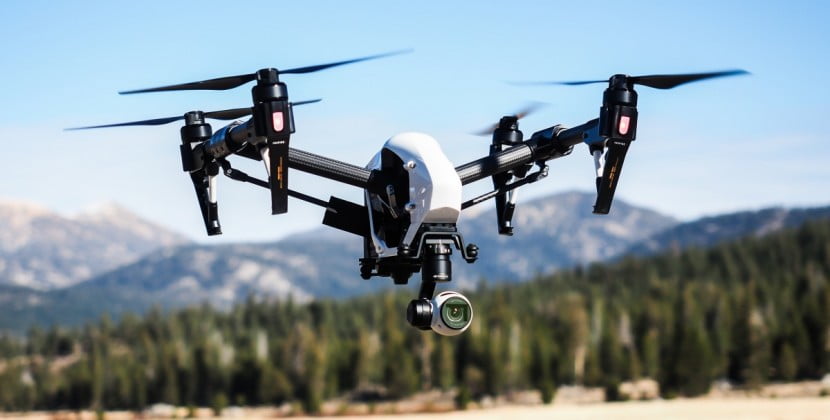
Recently we took the propellers off a DJI Phantom 4 pro, stuck it through the window of a car, secured the Phantom rig with safety tethers, held the rig by hand, and managed to get some fantastic, high-quality footage from its camera as we drove around the City of Dundee. Shots that, legally, may never have been flown.
Another occasion was a marketing company's request for high-quality stills showing the views of Edinburgh Castle from one of their city centre properties on George Street. Sounds like a job for a drone but the challenges of the shoot lay in the fact that the location property was in the centre of Edinburgh. Interior work going on meant no access to the building's windows to shoot through and the client wanted high quality, printable views of Edinburgh Castle as seen from the varying heights of the six floors of the building involved.
A simple job that almost any drone could execute quickly and effectively. The drone would provide the remote camera control, stabilized pictures, and wireless viewing on the ground of the pictures being taken and most importantly a drone could be flown quickly and accurately to the various floor heights from which we wanted to take our pictures.
However, following an on-site visit, it was clearly evident that the location of the building meant that it would have been totally illegal and unsafe to fly a drone. So, we just had to come up with another feasible way of doing things while still taking advantage of everything else the drone and its camera proposition offered.
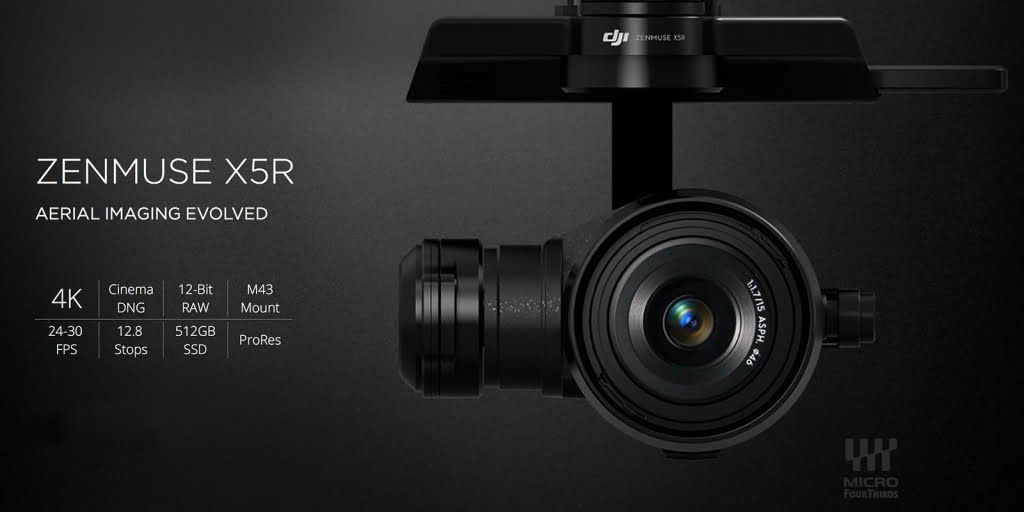
We decide to use our Inspire1 with its X5R camera as it provided solutions to most of the challenges we were facing. But in order to use the drone, but not as a drone, we had to come up with a way of getting the Inspire 1 up and down the exterior of the building safely, without flying it and taking our shots as we went along. The following is a brief step-by-step for what we came up with:
1. Take the props off the Inspire 1
2. Create a hanging harness to carry the Inspire 1
3. Put a secured jib arm on top of the building involved
4. Purchase lots of mountaineering ropes and belays
5. Feed this rope from the top of the building to the ground via a pulley system mounted on the head of the Jib
6. Connect the Inspire 1 hanging harness to the rope with more belays
7. From the top of the building, using the rope - pull the Inspire 1 up to the heights required
8. Take your picture when at the correct height
9. Repeat at the next height and so on until all shots have been acquired
10. Lower the Inspire 1 hanging harness back to the ground
11. Deliver shots to the client
This is a brief summary of our solution and I will not bore you with the in-depth details of our particular solution as there were many. Things I have assumed that any reader of this article should understand would require attention before executing this particular solution - hazard assessments, weight loading of ropes, breaking strains of belay fittings, communications at a distance, personnel involved, traffic control, anchoring points, overall health and safety…it is an unfinished and lengthy list.
The point I am trying to make is that when you look at a drone you should think of it as two parts: one - a flying platform, the other - simply a camera. Once the propellers are off the flying rig it can be held, mounted, or placed almost anywhere you would a traditional video camera. These cameras and lenses are expensive, so come on guys and gals let's make the most of them!
Visit our website lamedia.co.uk and if you have any questions or think we got something wrong or simply want to let us know what we missed... e-mail us at louise@lamedia.co.uk or give us a call on 0131 622 0220
Before we talk about the Amazon Echo Plus, a few words on the previous model. The original Amazon Echo was first introduced to Prime members in November of 2014 and came to everyone else in the UK in September 2016. The Echo Alexa was designed to answer your every beck and call. Whether providing information such as the latest news and weather, adjusting your heating, or controlling your AV system, Amazon’s Echo speaker promised to do it all. And it did. For the most part, but initially relied heavily on third-party apps and hardware for integration into your smart home. Now there is a new generation upon us.
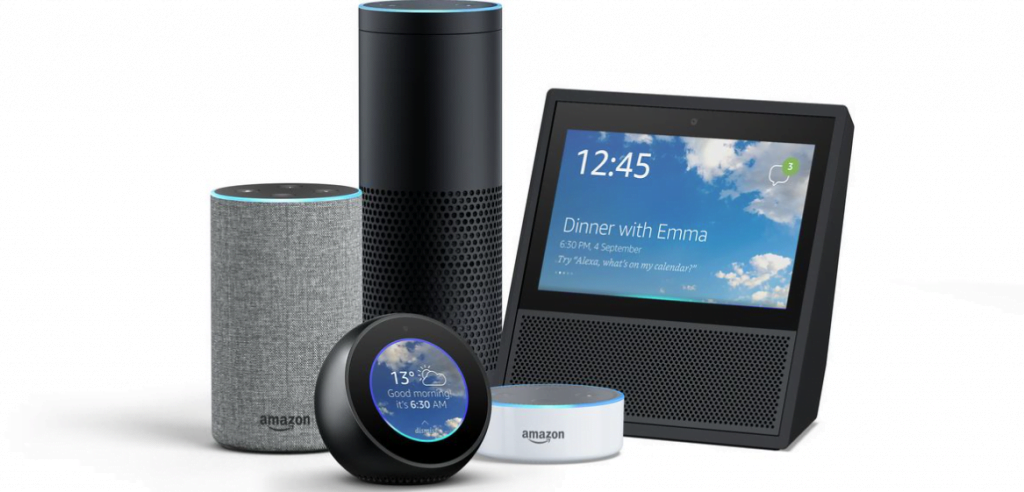
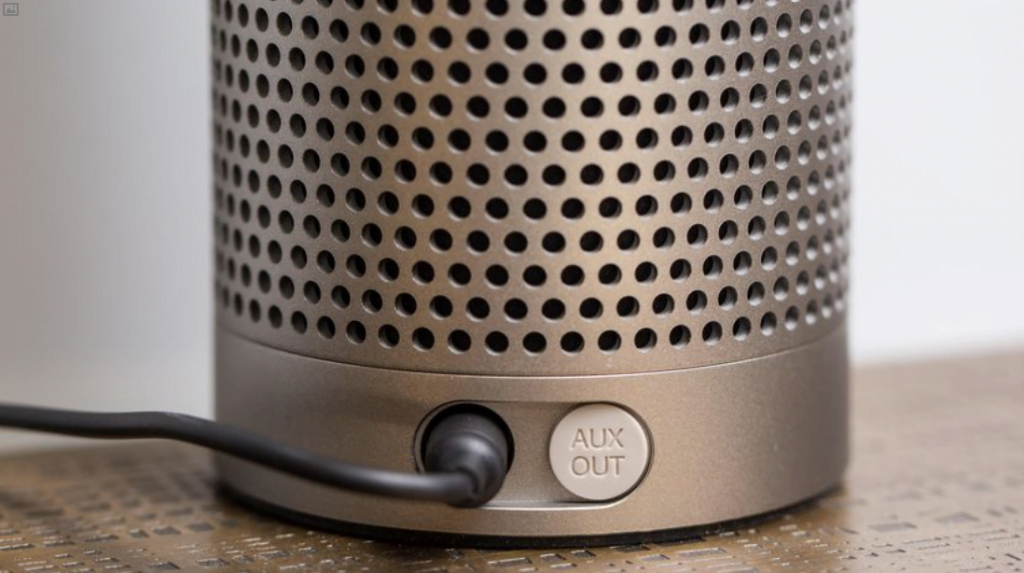
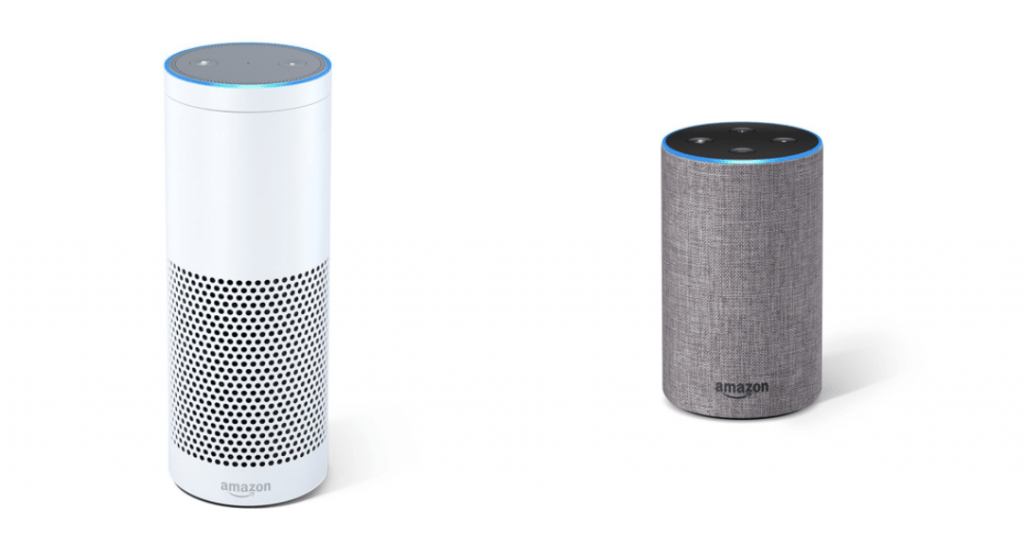
As well as the Dot, there is now an Echo 2, Echo Plus, Echo Show, and Echo Spot. What we’ll focus on here is the Echo Plus. I actually originally got the Echo 2 but swapped it for the Echo Plus. I’ll explain my reasons later. Essentially the Echo Plus looks more or less the same as the original Echo. It now has a 3.5mm output on the back, however. This means you can plug it into more expansive audio systems and have Alexa controlling your existing speaker set-up.
Features
The main difference between the Echo Plus and the original is the built-in smart hub. This means you can connect your Philips Hue lights directly to the Echo Plus. Nice right? There are still some limitations, but I'm fairly sure these will be addressed soon. In fact, Amazon seems to update Alexa at an alarming rate… The dawn of Skynet perhaps?
I’ve already found a bath that will run itself... If you already have most of your smart devices set up (like I do) then you probably won’t benefit too much from the built-in Smart Hub. Apart from controlling your home, there are many other thing s Alexa will do for you. The new ‘Drop in’ feature is pretty cool and slightly freaky. When away from home or in the home you can connect to any Alexa device and speak to the (slightly terrified) person at the other end. There’s the music as well… Echo devices come with a limited, reduced price version of Amazon music. I’d recommend upgrading to Amazon Music Unlimited at least.
Sound Quality
This for me is a biggy. I originally bought the Echo 2, but having set it up and so on, wasn’t that impressed with the sound. Lacklustre bass and not very clear highs made this not very impressive to listen to. It was all midrange. I know the Echo range is primarily about Alexa, and that, they do very well. But I wanted at least the best sound I could get whilst enjoying the abilities of Alexa. So I upgraded to the Echo Plus. It’s definitely an improvement. A little more bass (depending on where you’re standing in the room) and much better clarity up high. Plus, I think it looks much better.
Verdict
So in summary… If you’re looking for a good speaker first and smart abilities second, this perhaps isn't for you. Sound quality is not nearly as good as a Sonos One for example. As much as you can plug it into an AV setup, you would be better off getting an Echo Dot for that, which is only £39 at the moment.
I think this makes the most sense in the kitchen. The sound is good enough for most, and the Alexa functionality and voice recognition works very well. Much better than the new Sonos One. Amazon is constantly updating their Alexa skills, so it’s more than likely that any smart devices you have, will work with Alexa. I have the TV/Apple TV - via Logitech's Harmony Hub and controller, Heating - via Nest, all the lights - Philips Hue and various Wemo smart plugs for power-hungry devices all working with Alexa. It takes a bit of faffing around with at the start, but now all works brilliantly.

Would I recommend this? Yes, I would. Great for the kitchen, and if this is your first foray into Alexa, you’ll have countless hours of enjoyment asking her ridiculous and useful things. At this point, Alexa is definitely the best smart assistant out there and in the Echo Plus, she is at her best.
Visit our website lamedia.co.uk and if you have any questions or think we got something wrong or simply want to let us know what we missed... e-mail us at louise@lamedia.co.uk or give us a call on 0131 622 0220
Ok, so if you haven't heard of Apple AirPods and have been living in a cave for the last year or so, let me explain. Released at the end of 2016, these are Apple’s first completely wireless headphones. They use Apple’s glorious W1 chip to connect seamlessly to your iPhone and if you don’t have an iPhone then they'll use Bluetooth. I would however say that you won’t get the full benefit from them if you’re a non-iPhone user... So I will assume that you like to enjoy using a phone and therefore have an iPhone. Ok, next...
Design and Comfort
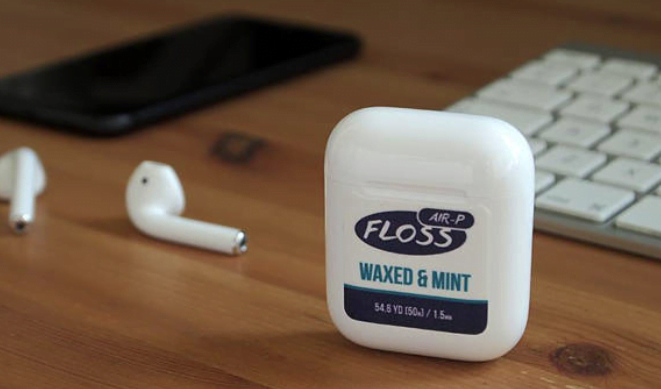
Shaped similarly to the EarPods, these are not to everyone’s taste or ears. Personally I like the simplistic design. You barely notice you have them in, so fatigue with these is not an issue. AND no more mucking about stuffing wires down your jacket! I do admit that the AirPod case, however, does resemble a dental-floss holder.
Depending on you ear size, some people have reported having issues with them staying in.. As I have small (but perfect) ears, I haven't come across this. But be warned, if your lugs are on a par with the BFG, some third party AirPod covers (like these) may be required. Covers for the AirPods case can also be found very easily too if you’re worried about scratching it whilst in your pocket.
Connectivity
This really is where Apple have nailed it. Literally the easiest thing I’ve ever had to connect... I still occasionally feel like throwing my old Bose speaker against the wall when it insists on connecting to my phone in the kitchen and not the iPad I’m trying to watch Ultimate Beastmasters on... Or it decides to connect to my girlfriend’s phone (because she once used it a year ago). All very frustrating. This however, is a joy. Open up the case and they pop up on your iPhone, tap connect, done.
Sound Quality
I was actually very impressed with the AirPods. Yes, they're not a pair of Shure’s, and so Audiophiles will not, I suspect, be as kind. They have a quite pleasing/easy listening sound with enough bass to satisfy most users. Sure, the highs are not very high and the mids and bass are a bit muddy, but overall it’s an enjoyable sound. Commercial pop music sounds particularly good here. Turning up the volume to full, does somewhat diminish the aural pleasure, but that’s not a huge surprise. I tend to listen at around 80 percent, which is plenty.
My usual daily headphones are the £90 RHA in-ear MA750i’s. These are very nice sounding, reference quality (on-a-budget) in-ear headphones. I feel they match my Sennheiser HD650’s quite well with their flat (natural) frequency response. the AirPods are not what you’d call reference headphones. Does that matter? Well, for the majority of non-audiophile users, I don't think it does. It’s all about listening pleasure at the end of the day. You won’t get the clarity and soundstage of many lesser priced wired headphones, but that’s not entirely what you’re paying for.
What are you paying for?
Well, in a word, convenience. AirPods are just so easy to use. They’re fun to listen to and are excellent for making and receiving phone calls. Once you’ve got over the fact that there’s no volume button, you’ll be happily asking the vastly improved Siri to do your bidding. They have a great 5 hour battery life and work well with most bluetooth equipped devices. At a price of £159.99, they may seem expensive, but in my opinion are one of the best totally wireless (in- ear) headphones around.
Pros:
1. Fantastic W1 chip - The future so it is... Great 5 hour battery life
2. Very easy to use
3. Ok sound quality
Cons:
1. Ok sound quality
2. Might fall out if you have big ears

Visit our website lamedia.co.uk and if you have any questions or think we got something wrong or simply want to let us know what we missed… e-mail us at [email protected] or give us a call on 0131 622 0220
LA Media was delighted to be asked back for series two of The Crown, a widely popular show on Netflix. In season one of The Crown, we were invited out to use our drones to capture upwards of 1000 stills for the visual effects team so that they could recreate a CGI version of the Royal Yacht Britannia for the series.
Well, we must have done something right because they were quick to get us back when they were back filming in Scotland.
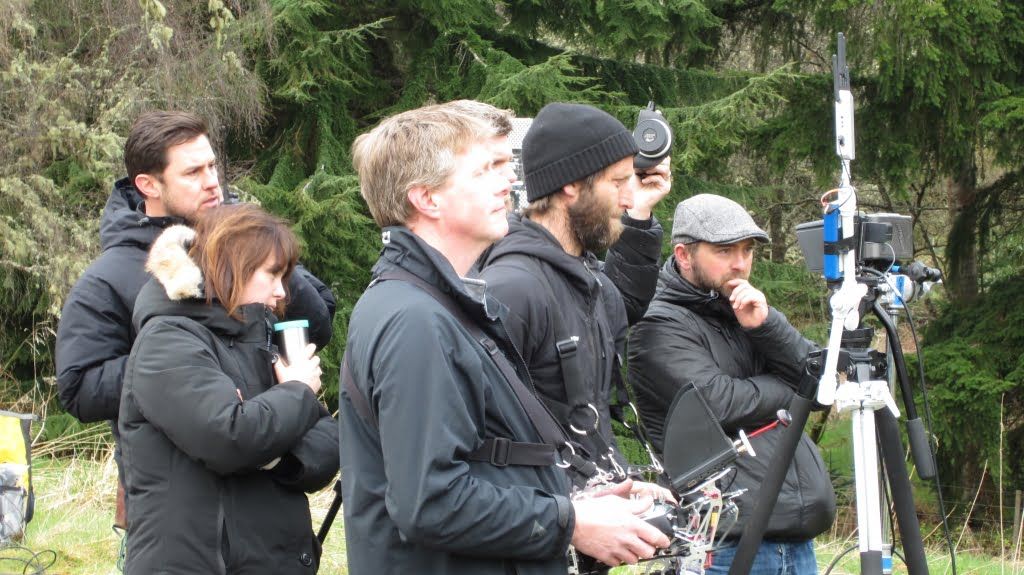
Image by LA Media "All eyes on the drone's viewing monitor"
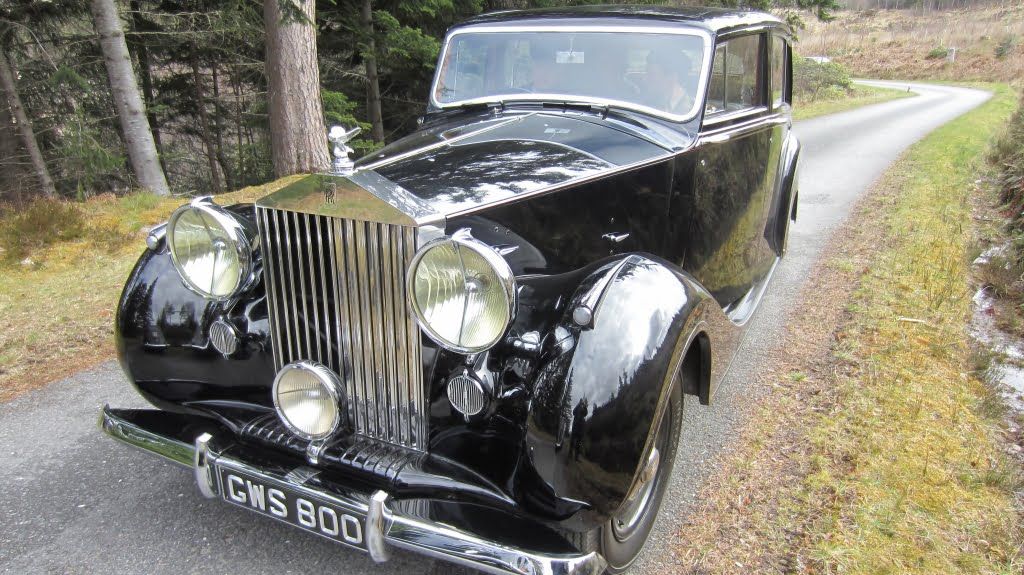
Image by LA Media "Vintage car used filming Season 2 of The Crown"
The LA Media team was part of the splinter unit, which sounds pretty ninja eh? We were tasked with using our drones to capture drone tracking shots of moving vehicles and scenic shots of the locations.
We filmed at Ardverikie Lodge (AKA “Balmoral") where Her Majesty's character was staying, played by the talented Claire Foy.
Using the drones we also filmed the stunning vintage cars, the rugged Scottish mountains, the lochs, the rivers, and anything else that looked stunning and majestic. In Scotland that can be anywhere, you turn - we weren't short of options.

Image by LA Media "Ardverikie Lodge pretending to be Balmoral"

Image by LA Media "Setting up the drone shot at the Lodge"
No Joke, Snow in April...
It started as a two-day shoot but ended up turning into a seven-day shoot. The reason for this was the weather! Typical Scotland, snow in April...because that's normal. The result was that on the first day of filming we were bathed in glorious Scottish sunshine with mild gusting winds. The trick for the sake of continuity was to match that weather and atmosphere at the next location.

Image by LA Media "Reshooting to accommodate the Scottish snow"
Mother nature had other plans. We rocked up to the next location (Glen Feshie) to find it shrouded in thick white snow! It wasn't a gentle powder of snow either - no, it was nine inches of heavy snow. This meant that production had a big decision to make.
Do we go back and reshoot the first two days in the snow to make it match? Or do we wait for the snow to melt at Glen Feshie?

Image by LA Media "Our drone filming one of the vintage cars on the move"
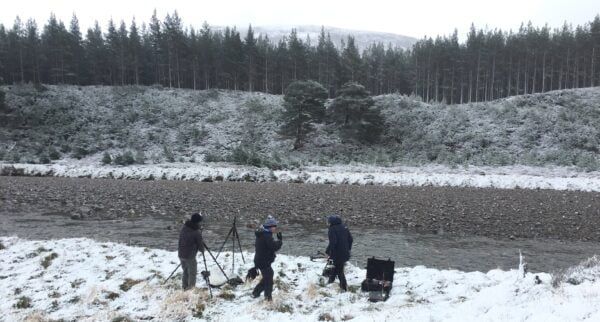
Image by LA Media "Setting up a drone shoot down by the river"
The final decision by production was to go back to Ardverikie and refilm the scenes in the snow. However, on arrival, the snow was minimal and had thawed within an hour by the rain.
This meant the chase was on, going back and forth between the two locations until the snow had melted so much so that we could film at Glen Feshie mostly snow-free.
Stand and Deliver!
On the last day of production, our final drone shot was to be of a grouse hunt over the moors. How posh! This meant there were gun dogs, animal handlers, cast members, and blank gunfire on location. This was an expensive scene to shoot and we had to get it right.

Image by LA Media "One of the best boys on location, meet one of the many working gun dogs"
Makeup, wardrobe, unit techs, film crew, and various members of production that included us and our drones had to make it up to the location on a single track road.
To say it was busy would be an understatement. The director was pushed for time as he was heading off to catch a plane and we had less than an hour to get the drone shots needed. Like always we rose to the challenge and managed to accomplish these under great pressure.

Image by LA Media "Setting up for the grouse hunting scene"
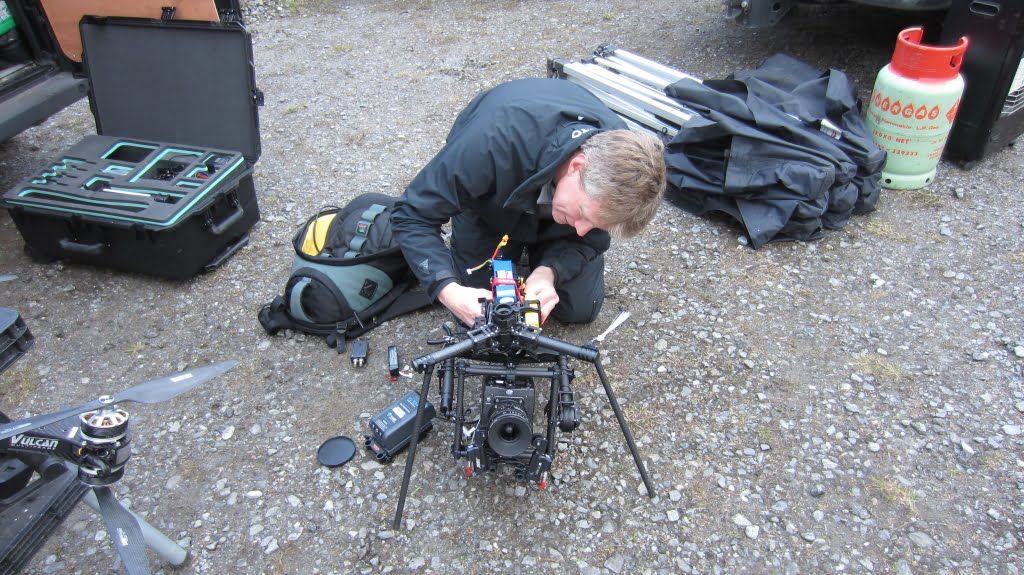
Image by LA Media "Prepping the gimbal with the Arri Alexa Mini"
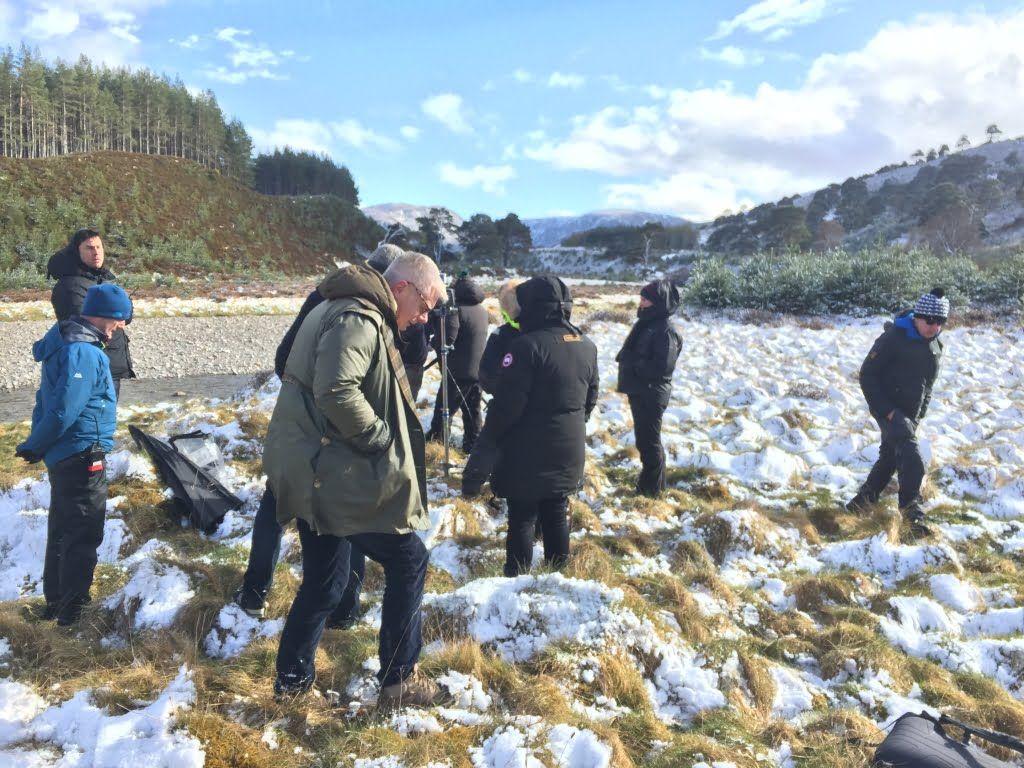
Image by LA Media "Out in the wilderness preparing for another drone shot."
Crossing the River

Due to the snow coming off the mountain, the river we'd planned to cross was in full flood. Already, one landrover had been lost to the river! Well, not quite it but it did have to be towed to safety. Going around wasn't an option and the production needed to reach the other side for a crucial shot.
Image by LA Media "The all-terrain vehicle needed to cross the river"
Understandably, we were anxious to transport our electronics and drones across the river. As we talked about before drones and water don't play well together.
Bumps and knocks can prove equally hazardous to a highly sophisticated drone-like our Vulcan Raven Heavy Lift. Drones aren't toys and need to be handled with care unless you want them to have a malfunction.
Packed snuggly inside of its custom-made padded box and strapped down we made it across safely and without incident. Crossing a river in full flood was never going to be easy and the moment of truth was on the other side when we successfully flew the drone.
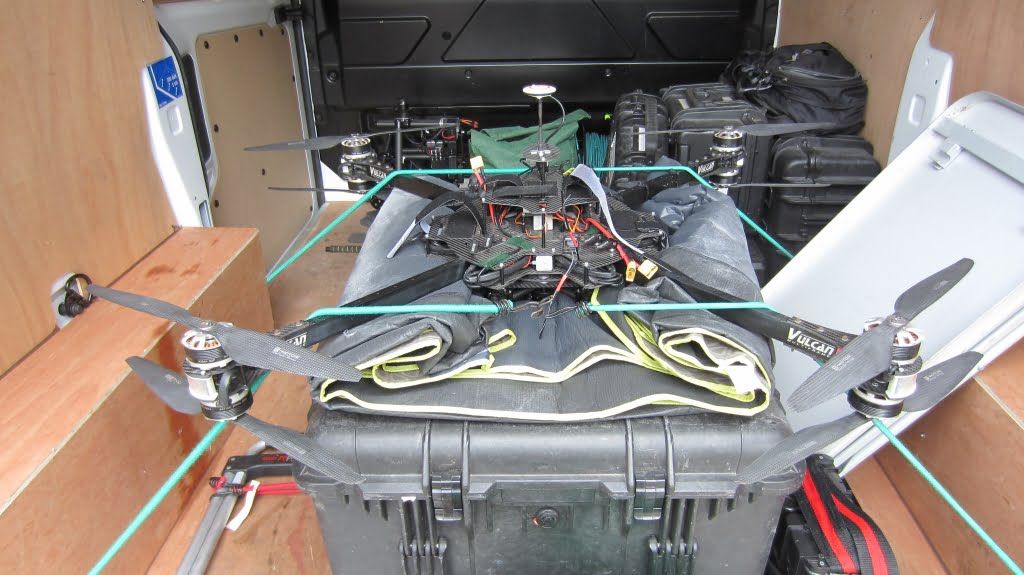
Image by LA Media "Our Vulcan Raven Heavy Lift Drone"
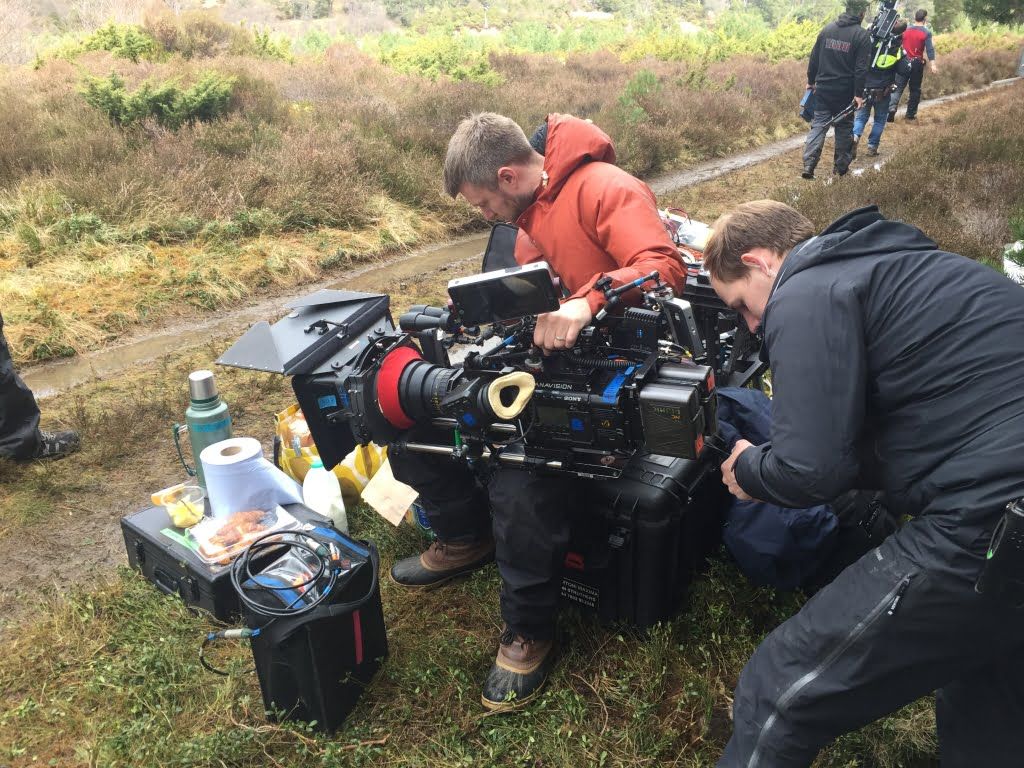
Image by LA Media "The big production camera from The Crown crew"
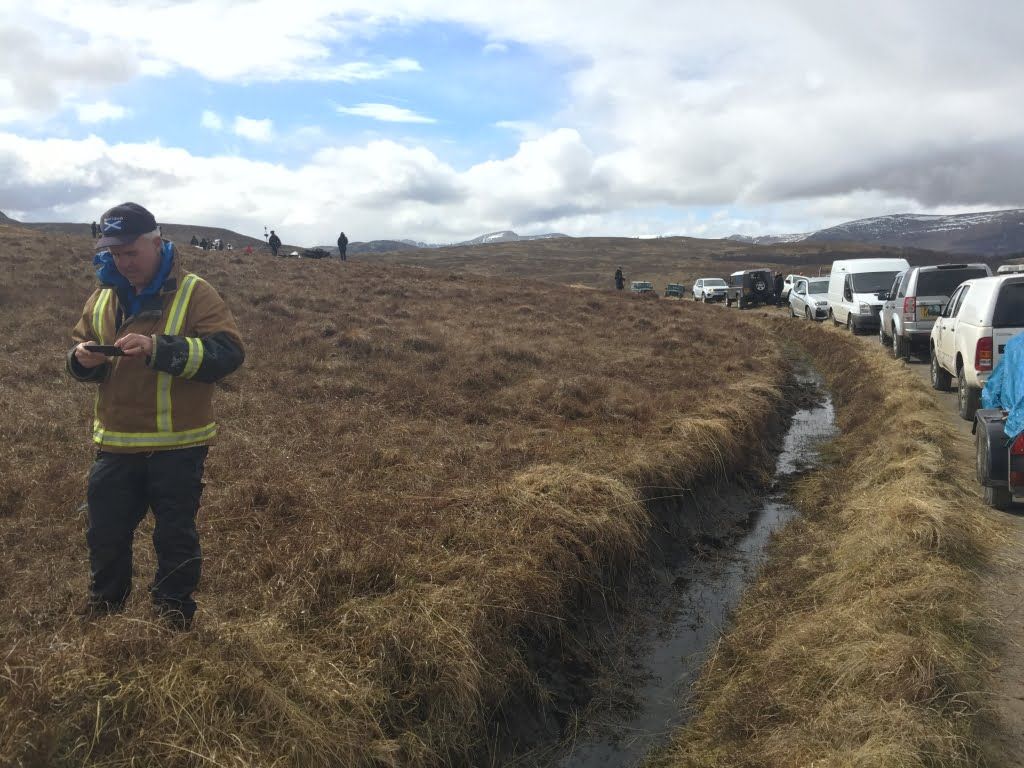
Image by LA Media "The many production vehicles"
Final thoughts
This was an amazing production to be part of and we think you will enjoy the footage. As fans of The Crown we are doubly excited, firstly to see our work but second to see what happens this season. How will Phil and Liz cope with parenthood? What is this scandal people have been whispering about? We can't wait to see more of Claire Foy, John Lithgow, and Matt Smith, who are all doing a stellar job so far!
We'd like to thank everyone who made this possible and for all the care shown to us by the production team from London.
Project
Client: Left Bank Pictures
Director: Stephen Daldry
Programme: The Crown for Netflix
Line Producer: Eve Swannell
Drone Footage: LA Media
Visit our website lamedia.co.uk and if you have any questions - e-mail us at [email protected] or give us a call on 0131 622 0220
Welcome to yet another colourful tech rant by LA Media's very own Digital Media Manager and 'tech guru,' Michael Jameson. In this blog, Mike provides a thoroughly geeky iPhone X review and answers that all important question- Was it worth it?
If you've ever read any of Mike's blogs you will know he's a 'mac head.' You may recall his reaction to Apple's iPhone X event, where he raved and salivated over Apple's latest tech offerings. While the rest of the office opted for the iPhone 8 or 8 Plus, Mike was adamant he'd be waiting for the iPhone X.
Now that he has had his 'precious,' (the iPhone X) for more than a week we can now get his real thoughts on the iPhone X. Was it worth the wait and does it meet Mike's Macspectations?

Words by Michael Jameson
Having now had my shiny new iPhone X for a couple of weeks, I thought it was about time I wrote a down some thoughts having now had the time to play with it a bit.
3 new iPhones were announced at the Apple iPhone Event in September. The iPhone 8, the 8 plus and of course the iPhone X (pronounced Ten). Coming from an ‘ageing’ iPhone 6 Plus, I thought I should wait, with bated breath and sweaty palms, for the iPhone X. It was a long month.
Finally, the day arrived when the latest in Apple Tech was delivered on a frosty Monday morning. Having resisted the urge to tear open the parcel with my teeth, I managed to successfully access the new device with shaky hands and without dropping it into my coffee #winning.
Unboxing!
First impressions were NOT a disappointment. It really does look beautiful. Yes yes, I know... “It’s a Phone!” everyone cries!
Well, technically it’s not anymore. This is a mobile phone-sized computer. A computer that's CPU is faster than the latest MacBook and on a par with a 13inch MacBook Pro in synthetic benchmarks anyway.
How it Feels & No Home Button
When you first pick up the phone, it feels incredibly ergonomic. The smooth rounded edges of the screen, that lead into the polished metal surround, provide a high-quality feel and finish. So much so, that I never use the silicone case I bought to house this beauty.
The lack of a Home button is rather strange at first, but you quickly get used to its absence. In fact, when you try another model with one, it feels like the Home button is getting in the way. Face ID, for the most part, works seamlessly.
It takes a bit of getting used to, but once you’re there, it makes getting into secure Apps like Banking Apps etc.. a much quicker process. I like the feature that keeps your message notifications just that, a notification until you look at it.
No More Sneaky Stalking!
People can no longer read any messages or notifications that come in on the lock screen. A nice touch I think. There are some gimmicky features, like the Animoji’s, which are fun and very clever, but something I don’t use that much. Once you’ve sent a talking poo to a few friends, the effect kinda wears off!
Now we come to the screen... Having tried Netflix shows such as Star Trek Discovery, which is available in Dolby Vision (HDR), it really does make a huge difference to the appearance. Blacks are truly black and you really feel you are being delivered the colours that the show's producers wanted you to see.
 Having the entire OLED screen filled with video really is rather wonderful. The heavily talked about ‘Notch’ - where the Face ID capabilities reside - doesn’t impact viewing pleasure. Photos taken on the iPhone X’s camera look pretty great too - cameras on these new phones really are a triumph in miniaturisation.
I’m not convinced about the Stage Lighting, but the other Portrait modes are pretty cool. Especially when you can use the Face ID camera to do it, which you can’t on the 8 or 8 Plus.
Speed Performance
Having been using an iPhone 6 Plus for the last 2 years, one huge difference is the speed that this device runs at. The X has the same Bionic A11 CPU as the 8 and 8 Plus, but it somehow feels like the software is more optimised for the iPhone X. And once you get used to not having a Home button, you really start to fly through the OS. Apps load instantly, browsing is a joy and resetting the phone is no longer a 5-minute process - more like 5 seconds!
In Brief
Yes, this IS still an iPhone. A very expensive one at that - £999 for the 64GB version. But it’s also much more than that. It’s a portable computer with amazing capabilities, a resounding statement in desirable technology and, when used to its full potential, really is something rather special.
Visit our website lamedia.co.uk and if you have any questions or think we got something wrong or simply want to let us know what we missed… e-mail us at [email protected] or give us a call on 0131 622 0220
Doing corporate film can indeed be fun! Did you know that the King's Theatre Edinburgh draws 90,000 people every year and is one of Scotland's oldest and most historic theatres?
Sadly, the 'Grand Old Lady of Leven Street' is in dire need of redevelopment and upgrading to ensure that we don't lose her cultural, theatrical and architectural significance.
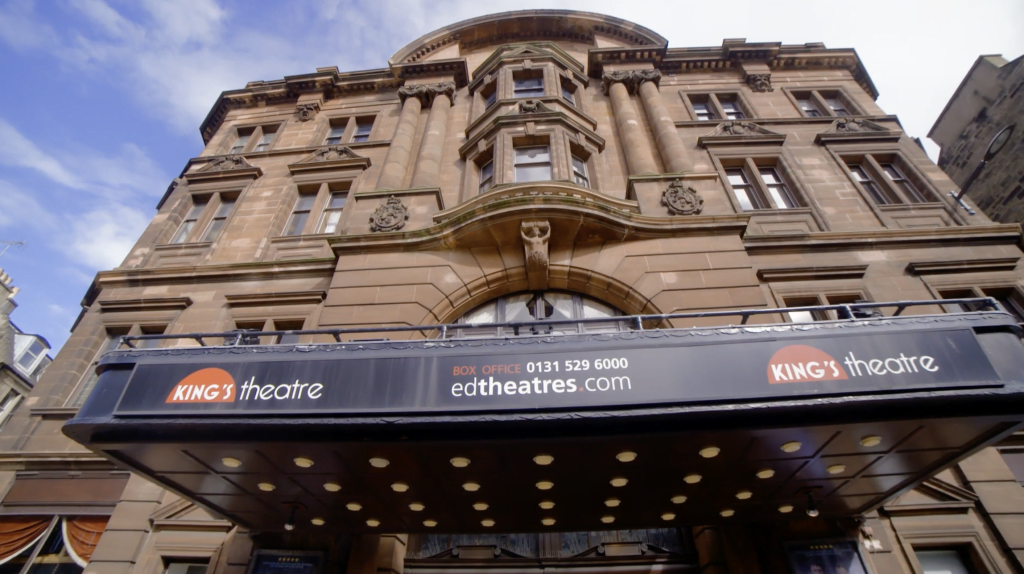
Image By LA Media 'Exterior of the King's Theatre Edinburgh'
LA Media was engaged to create a corporate film that would help achieve this. The brief was to create a corporate film that would tell the King's story and explain why these improvements are so important to a modern audience.
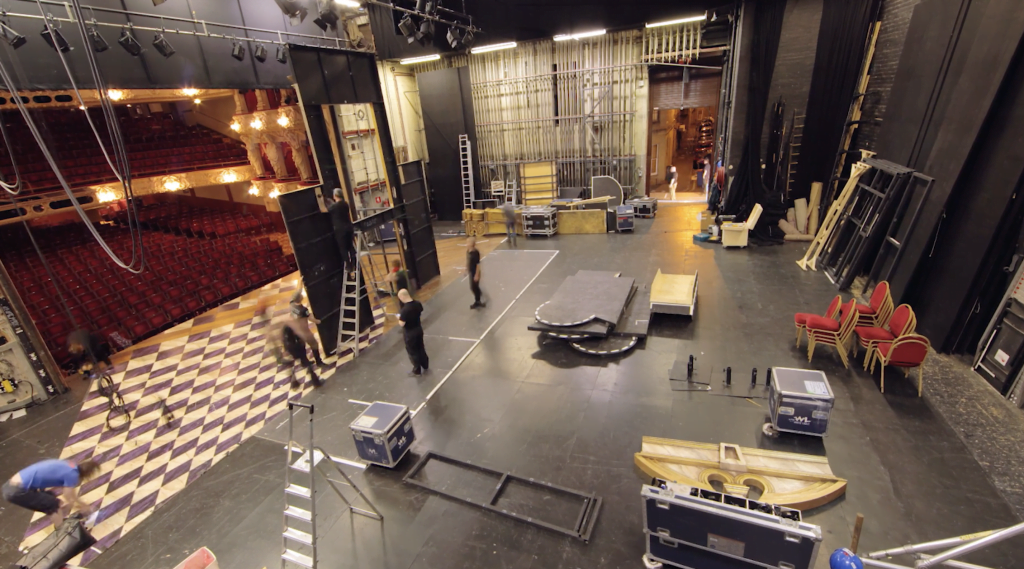
Image By LA Media 'Time-Lapse of Setting up Scenery'
The film had to bring the warmth of good memories together with an exciting look forward to the future relationship the King's will have with audiences and performers.
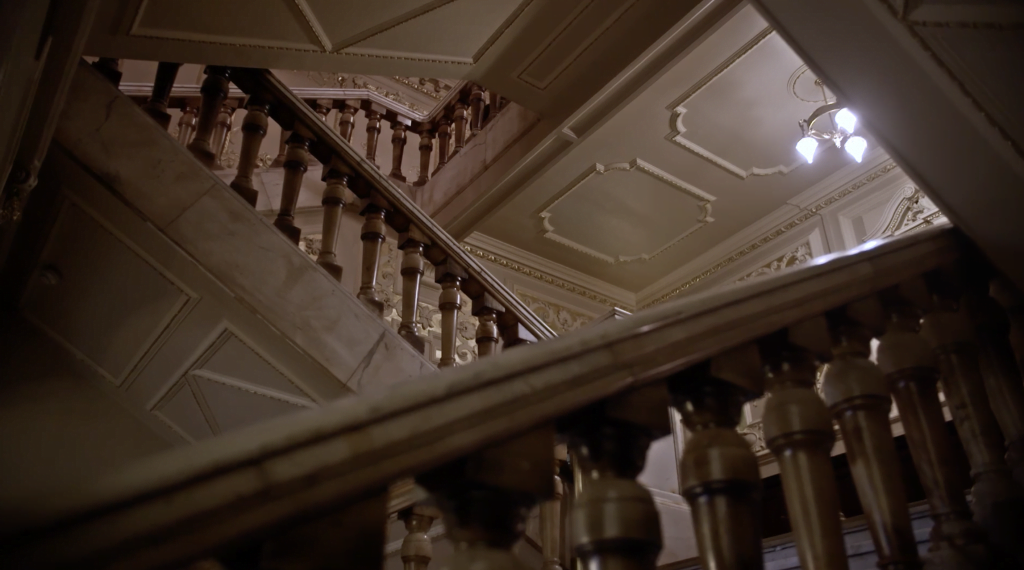
Image By LA Media 'Staircase Inside the King's Theatre Edinburgh'
More importantly, it had to create an effective call to action to help foster support and investment for the redevelopment. The film was to be used as a visual asset to support a wider campaign to generate awareness and engagement with the project.
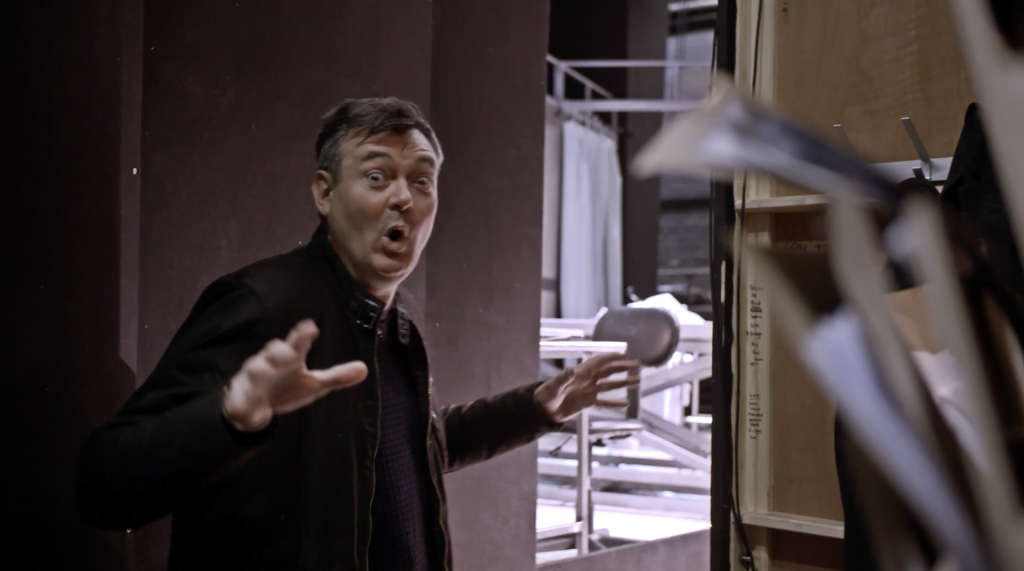
Image By LA Media 'Grant Stott Ready to Make an Entrance'
With the help of the talented presenter and on-air radio personality Grant Stott, who has a close affinity with the theatre and many years experience working on productions there, we created an editorial structure that would tell the story both with passion and clarity.
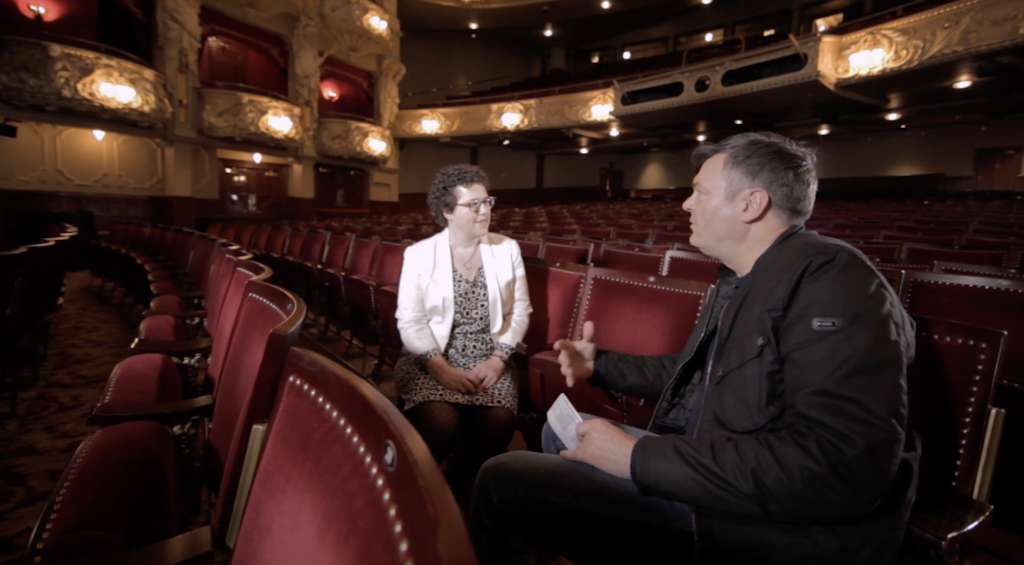
Image By LA Media 'Grant Stott Interviewing'
From scripting, filming, editing, organising interviews, production management, location management to music composition we kept this project strictly in-house.

We even got to fly one of our drones inside the auditorium, which was a first for our drone pilot.
Image By LA Media 'The Cast Taking a Bow'
To find out more in-depth detail about this project please see our case study on the project. Please watch and share to show your support for Edinburgh's cultural and historic heritage.
Corporate Film By LA Media
Editor / Original Music Composition: Mike Jameson
Don’t forget to follow us on: Twitter, Facebook, and Instagram for your daily dose of media & drone chat!
Visit our website lamedia.co.uk and if you have any questions, e-mail us at [email protected] or give us a call on 0131 622 0220
In celebration of #LoveTheatreDay 2017, we wanted to share the love with you with these snaps taken behind the scenes at King's Theatre Edinburgh, one of Scotland's most historic and important theatres.
#LoveTheatreDay is a social media phenomenon that celebrates theatre around the world online. The goal is to inspire people to find out more about their local theatre, maybe to consider a career in the arts, and to help build a lifelong habit of attending it.
LA Media was asked to create a promotional video to help promote the restoration. Now 110 years old, the theatre is in dire need of major redevelopment to bring it up to twenty-first-century standards and to meet the needs of modern audiences.
We will share more of this fascinating project with you when it has been released to the general public. For now, though here are a few sneaky behind-the-scenes pictures.
The Ceiling Mural
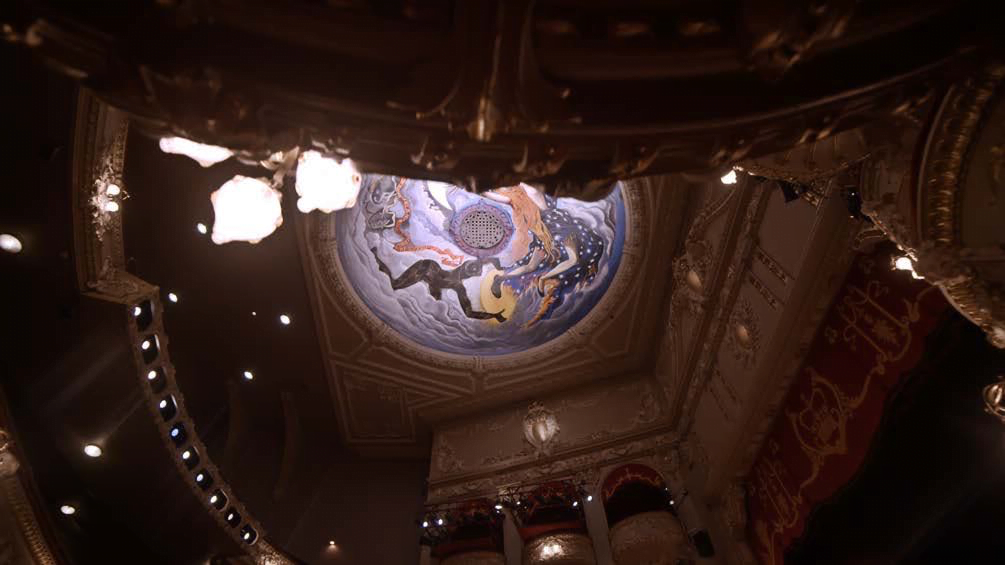
Playwright and artist John Byrne created the stunning mural on the ceiling of Edinburgh's King's Theatre. The mural plays on the duality of light and shade and the progression of the day following night. The mural has theatrical motifs and references, including the lines from Jaques' monologue in As You Like it.
The Auditorium
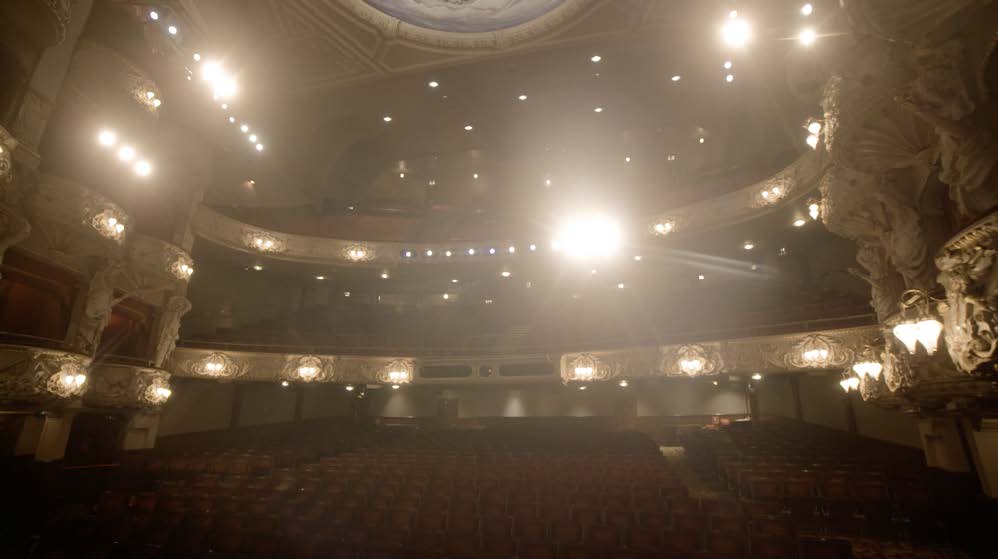
Although the trust plans to modernise and preserve the building for generations to come they will be keeping the charm and heritage of the Edwardian auditorium.
The Fly Loft

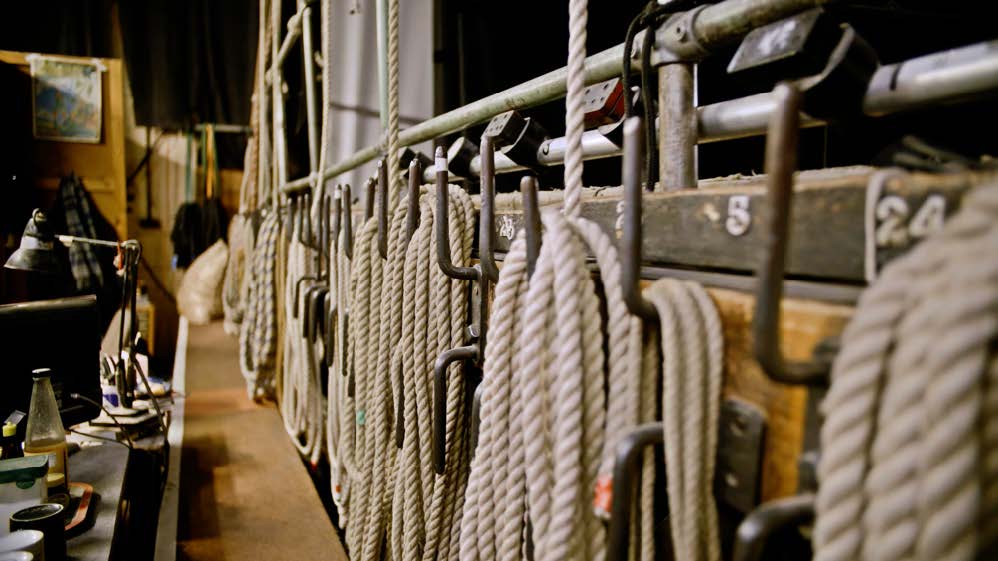
Welcome to the flies, this is the area above the stage where the theatrical rigging system is kept. This allows a stage crew to (fly) hoist curtains, lights, scenery, stage effects, and sometimes people (think Peter Pan) out the way quickly and quietly. If you suffer vertigo better give this part of the theatre a miss!
Don’t forget to follow us on: Twitter, Facebook, and Instagram for your daily dose of media & drone chat!