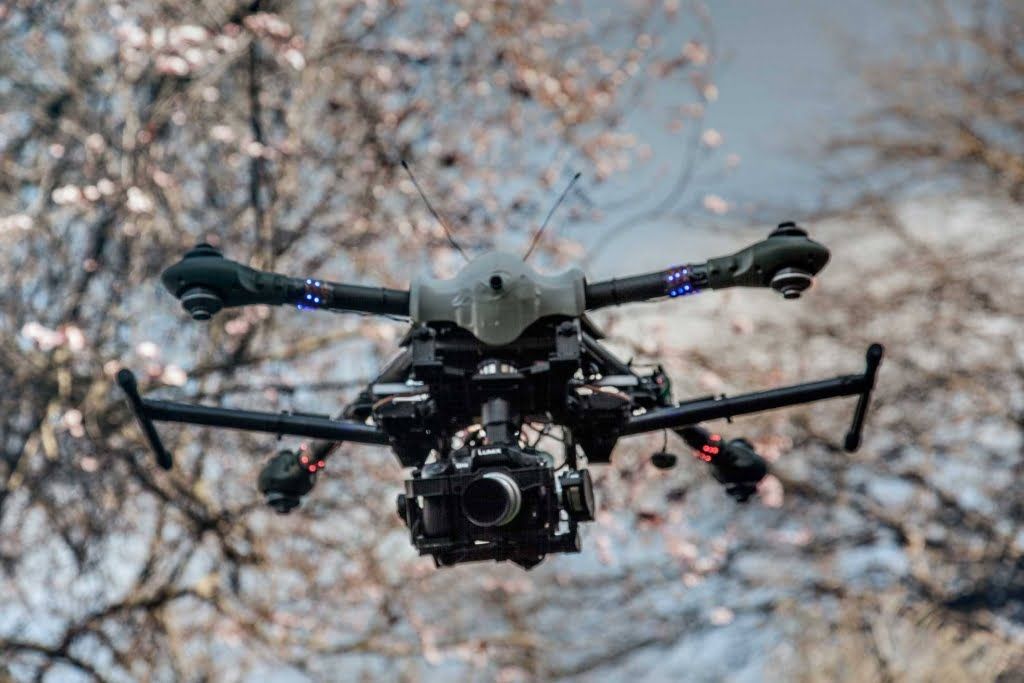
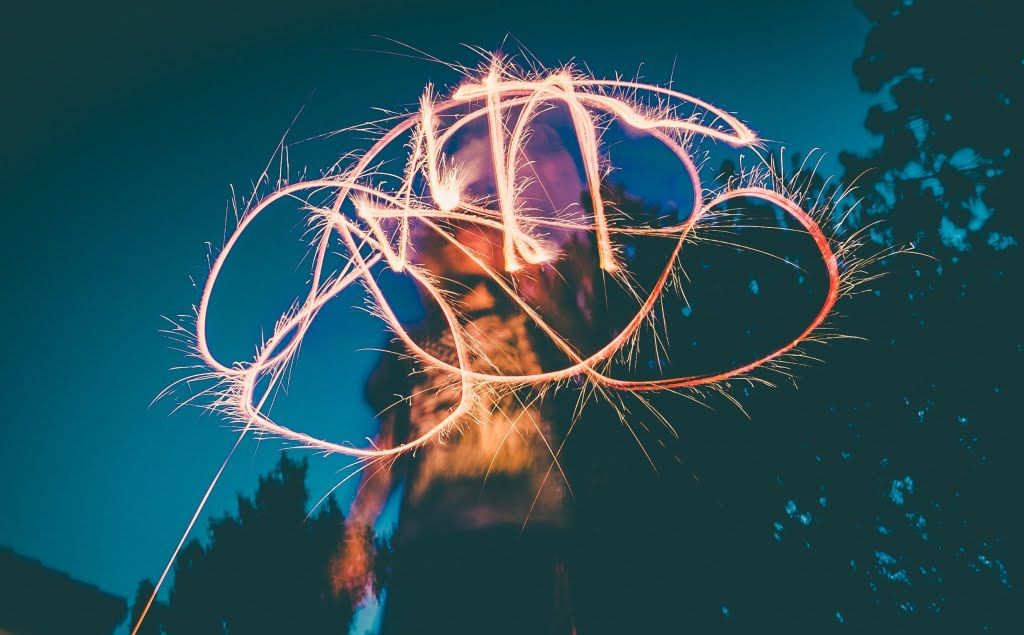
So why video? Well, you know that old saying a picture is worth a thousand words? Well, now the picture has officially been replaced by the video. Facebook users alone watch 8 billion videos per day, that’s one reason that why video is considered one of the best marketing tools a company can have.
Guess video did kill the radio star after all… however, the facts and figures don’t lie and the bottom line is that video is king. Cisco projects that global Internet traffic from videos will make up 80% of all internet traffic by 2019.
Whether it’s buying a product or trusting a company to deliver a service - people don’t like pushy pitches. They want information so they can make what feels like an informed decision.
Considering that YouTube reaches more 18+-year-olds during prime-time viewing hours than any cable TV network it is hard to ignore the value of video.
An engaging video is a versatile visual asset that can be used in so many ways to improve your brand. That is why in this blog we look at the five reasons why video is going to be a worthwhile asset to add to your company’s marketing strategy.
What video can do for you
1. Use video to improve your sales
Did you know that enjoyment of video ads increase purchase intent by 97 percent and brand association by 139 percent? Another study showed that marketers who used video grew their revenue 49% faster than non-video users.
A video is a great medium to deliver a clear concise message. Instead of asking your customers or stakeholders to read about you, you can show them why you are the top dog. Nowadays, your customers will probably wonder why you don’t have a video!
It has been estimated that at least 55% of people watch videos online every day. So if you don’t have a video online you are missing out on a sizable segment of the market.
According to a report published by Forrester, including video in an email leads to a whopping 200-300 percent increase in click-through rate.
2. Use video to improve your SEO
If you want to improve your website’s ranking then quality original content is key. A good regular blog, a frequently updated website, and a fresh snappy copy will all help to achieve this.
But ever since Google bought YouTube, a high-quality video has become critical for SEO rankings and converting prospects into customers. Websites with video tend to keep users engaged for longer. According to Unbounce by including a video on your homepage you can increase conversion rates by 20 percent or more.
In fact, video boosts organic traffic by about 157% from search engines, prompts a 105% increase in time spent on a site, and leads to about 2X the number of conversions compared to a site with no video.
This benefit isn’t limited to your website. As we’ve mentioned this video is an asset! You can also share it via your various social media platforms. It will increase the impact and reach of your video and user engagement, all of which ultimately boost your SEO!
By creating your own YouTube channel and posting your video to your Google+ page you can increase your search engine bump by adding targeted keywords in your video title, tags, and descriptions. An added bonus is you won’t run the risk of being penalised by Google for duplicated content.
Sharing is caring and you are more likely to get a user to share your content if it is a good video! Having a well-shared video or even a viral video is good for your brand.
Research has shown that brand recall and brand association rose 7% among viewers who had been recommended a video versus viewers who found it by browsing.
A video is more likely to get you shares on social media! Social video generates more than 1,200% more shares than text and images alone.
4. Stand out in the crowd
Cisco project that by 2020 every second, nearly a million minutes of video content will cross the network. Not only is it a powerful medium but you can use it as a tool to differentiate yourself from your competition. Your visual assets are important, they are your chance to showcase your unique company personality, culture, and brand ethos in a relatable way.
Your visual assets are important, they are your chance to showcase your unique company personality, culture, and brand ethos in a relatable way.
A memorable well-crafted video will give you stronger brand recognition than any text can.
According to NIELSEN Wire, 36 percent of online consumers trust video ads. But on the flip side, 61% of users say they have been put off buying a product after watching a bad explainer video.
This is why you need to get a great production team that understands your needs and delivers a final product that meets your brief.
Did you know that 85% of Facebook video is watched without sound? Your video will need to have excellent visuals and not depend too strongly on a soundtrack.
You should consider the use of some engaging subtitles so your content will be understood without sound too!
Videos need to be punchy and engaging from the moment they start.
5. Improve Communication
According to Animoto, 4 times as many consumers would rather watch a video about a product than reading about it.
Videos keep your audience interested, even during boring subject matter! This is why video is such a great tool. It makes complex content more relatable.
And while well-written content is effective for many audiences, visual marketing is an even more powerful tool to increase interactions and actions.
After all, it takes less effort to watch a video than to read a text. In summation "We're entering this new golden age of video" - Mark Zuckerberg on social media sharing and video.
We hope that this blog has been enlightening and will help inspire your next project. If you enjoyed this blog don’t forget to follow us on: Twitter, Facebook, and Instagram for your daily dose of media & drone chat!
Hearing is believing, especially when it comes to headphones! Every good studio needs at least two pairs of headphones, especially if you are planning to record and mix music. There are so many alluring headphones out there we thought we’d share this blog on buying the right pair for your musical setup.
Good brands like Bose can seem like a sound investment, yes they will make your music sound epic but it won’t be accurate. Say you picked up a pair of Dre Beats (god forbid) they may give your tune a ton of juicy base but it won’t be accurate.
Why go pro?
For making music you need a proper pair of professional headphones that will almost flatten your melody out. You want your pro headphones to make your music sound natural and as close to your ear as possible. You don't need to blow your budget to get it right. Obviously, you can if you are a budding audiophile but there is a danger cos the sky really is the limit when it comes to blowing money on headphones, just Google Sennheiser Orpheus HE 1. Enough said.
So, If you’re not Bill Gates or don’t have a Lambo parked in your underground car park below your house in Knightsbridge, then here are a few considerations for your choice of headphones. This is not a de facto ‘you must go and buy these now’ review of the top 10 headphones in the world etc… we’ve got options for different budgets.
What could possibly go wrong?
Well, if when mixing a tune your headphones aren’t up to snuff, you run the risk of assuming you have more base than you actually do or possibly missing the mid-range clarity. This means you will compensate when you don't need to and you'd have no way of knowing if it sounds right. Chances are your track would be very badly mixed.
As we mentioned you need two pairs of headphones. Recording Studios use two specific types of Headphones for two very different purposes.
What's the difference between open & closed-back headphones?
The main purpose of these types of headphones is recording.
Closed-back headphones provide good sound isolation and little or no sound bleeding out into your microphone. Some musicians recommend different cans depending on their instrument of choice. For example, A drummer once told us that Beyerdynamic’s DT 100/150 kept falling off as they’re quite heavy, so he favoured a lighter closed-back set of cans. Our in-house composer Mike uses the DT 150’s for recording… but then again he isn’t leaping around behind a drum kit too often, maybe after a few whiskies on a Friday night for our amusement.
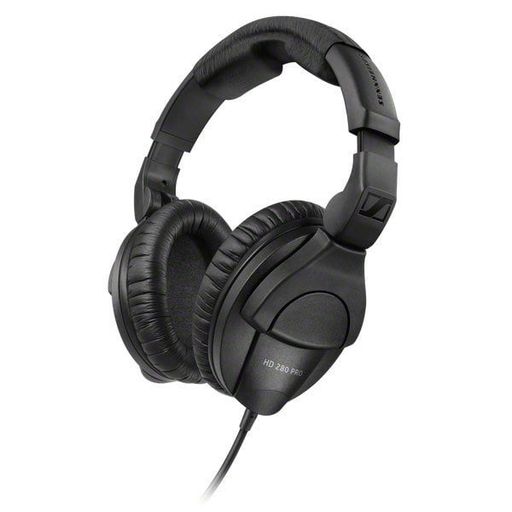
Sennheiser HD280pro
Open Back Headphones are mainly used for mixing in the studio and by Audiophiles (sound geeks). Ideally one should use a good set of external Monitors from companies such as KRK and Genelec. However, in many cases, it’s not an option, especially in ‘volume sensitive’ home studios with angry neighbors and also most people probably don’t want to have to treat their bedroom or sitting room with acoustic foam.
Open Back can give you a much more natural and realistic sound but very little in the way of sound isolation. Personally, we think a good set of Open Studio Monitors are a wonderful thing to behold. Being able to hear every detail of your mix in ultimate clarity is something every musician needs to have in their life.
Beyerdynamic DT150 - Around £115 - Based on the Industry-standard DT 100’s of old. If you’ve been in any recording studio, chances are you’ve seen a set of these.
Beyerdynamic DT770 Pro - Around the £100 mark or cheaper. Lighter and more comfortable than the above. But not as bulletproof. In my opinion, unless your a drummer, go for the DT 150s.
Sure SRH 1540 - Around £400 - Shure are well known for top-quality headphones. These certainly don’t disappoint. A higher price tag that’s definitely worth it and easily the most comfortable and best sounding closed headphones on this list.
Sennheiser HD 650 - Price varies but should be able to get a pair for under £300 nowadays. These have been around for over a decade for one simple reason. They’re good. Very good. Thousands of people swear by these, Audiophiles and professionals alike. Our editor also has a pair of these beauties and paired with a decent headphone amp and DAC, says they are fantastic.
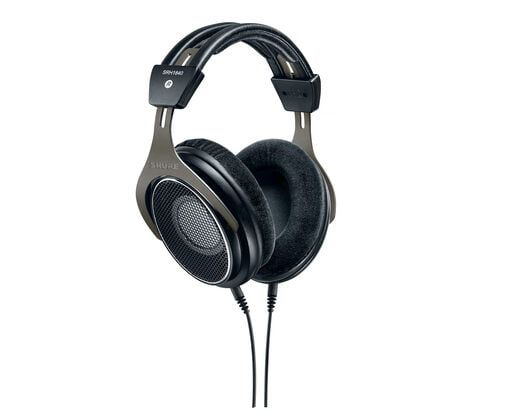
Shure SRH 1840 - Around £400. Similar to the above HD 650s in sound quality. In our opinion, these are a bit ‘bass light’ and don’t quite have the sound stage of the Sennheiser’s. They are also more expensive… The opinion is divided with these ones. Our advice would be to go and listen to some in-store and make your own decision.
Shure SRH 1840
Sennheiser HD 800 - £1000 - Yup, that’s right. A thousand pounds for these guys! Are they worth it? Well, we’re now really in to the realm of diminishing returns here. Yes, these cans are very very good indeed. Are they 3 times better than the Shure’s or HD 650s? We don't think so.
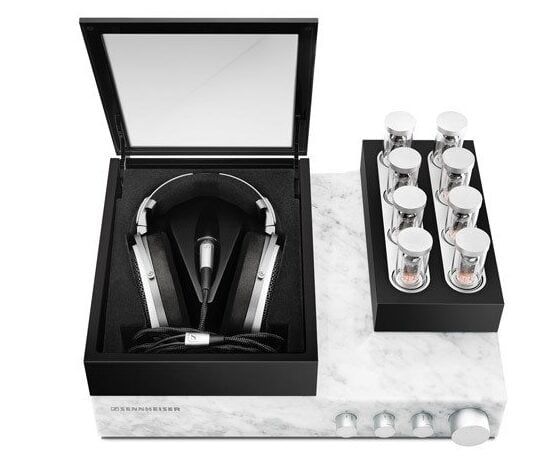
In our next blog we will deal with external Monitor as part of our series on How to Make Music: The Vital Tools You'll Need. If you made this far enjoy the picture below of the dream headphones you could only buy realistically if you were a millionaire. Nobody needs a marble case but it would be nice, right?
Sennheiser Orpheus HE 1
We hope you’ve found this blog helpful! Let us know what you think in the comments, tell us if we’ve missed something out. If you enjoyed this blog don’t forget to follow us on: Twitter, Facebook, and Instagram for your daily dose of media, music, production & drone chat!
Before joining the team, our Senior Editor Michael Jameson started his career as a musician and composer.
Now here at LA Media, he gets to combine his love of music with his passion for all things techy. For more than 10 years now Mike has been creating amazing and original bespoke soundtracks for many of our clients.
We understand the importance of good music. So, with Mike's help, we've put together an essential tool kit list to help get you started on your musical journey.
Let's get digital, digital!
With new technology, you don't need to be a child prodigy to be a good composer. You don’t even have to psychically have an instrument to make music. You don’t need a band, a singer or even someone who can read music. Sure, the above helps, but it’s not essential.
Thanks to technology, music is more accessible than ever. You can, in fact, make beautiful music on your computer! In this series of blogs, we look at what equipment you will need to start making your own professional music.
Ask yourself the right questions
In this first installment, we will cover some essential questions for musicians who want to go digital.
Should I go Mac or PC?
What kind of processor do I need?
How big should my hard drive be?
What is a DAW and which one should I get?
Getting the right Computer
The first bit of kit will be the backbone of your studio - the computer. Now, the type of computer required will vary depending on your usage. For the DJ who's constantly on the move, there’s the obvious choice of a laptop. For something more static there’s a desktop solution.
Unfortunately, that’s not it… The next big question is whether to go Mac or PC. Some have very ‘particular’ views on this topic! In the end, it depends on what you are used to. Personally, we prefer Macs. In our youth, we were PC geeks but were converted when OS X was released.
This opinion might be controversial but in our opinion Macs are more stable, less susceptible to viruses, etc., and easier to work with and set up. But that is just our preference and you can still make great music with a PC.
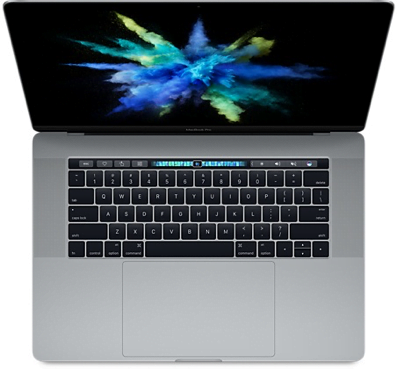
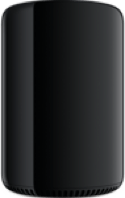
Personally, we would stay away from the ‘new’ Mac Pro. It hasn't been touched since 2013 and costs a fortune. For the DJs out there, the obvious choice is the MacBook Pro.
MacBook Pro
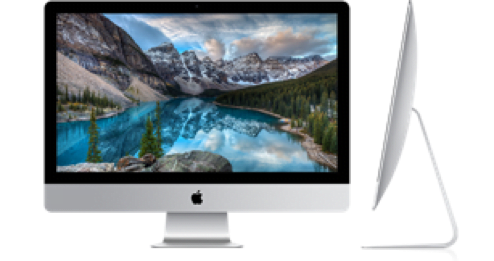
The new MacBook is not powerful enough as a competitive tool for production. That leaves the iMac for the Studio setup. Not ideal I know, but the new iMacs are pretty powerful if you spec them up on the CPU side, as they have the 6th Gen Intel Core i7 6700K CPU in them.
MacPro
Per core, they are nearly twice as powerful as the 2013 12-core Mac Pro’s Xeon CPU cores. With 4 of those cores that are hyper-threaded, you are essentially getting an 8-core machine. More than enough for most needs AND of course, you get that glorious 27 inches 5K screen.
iMac
PC options
Well… where to start… we aren’t going to describe the ‘perfect system’ here as there are so many different custom systems out there it would take forever. Here are, however, a couple of very good builders of systems depending on your needs!
The machine you’ll need will obviously depend on what you’re going to use it for. A general steer would be to get as high a spec’d processor as you can afford.
For workstations, Xeon CPUs are the mainstay. They tend to be a generation or so behind the latest consumer chips, but they are in general more reliable and have a much higher core count. Unfortunately, there is a caveat… they’re not cheap!
Some would argue that multi-socket Xeon machines are overkill for a home studio. Well, again it would depend on your usage. If you’re constantly running large sessions with high-quality virtual instruments, such as Orchestral VI’s, then you’ll benefit from all those cores. If you’re recording audio and not reliant on CPU-sucking virtual instruments, then a Quad-core Core i7 would do the job well.
Recommendations - CPU:High-end workstation - Dual Intel Xeon E5-2687W v4 12 Core (24 cores total with HT @ 3.00 GHz)
Consumer chip - Either the i7 7700K Quad Core or if you can afford it the i7 6950X Ten Core (a lot more pennies required here!!) Per core, the 7700K is faster, it’s just that the 6950X has ten of them…
How much RAM and Hard Drive space does a musician need?
I’d go for at least 32GB of good quality RAM. More if you can afford it! In terms of Hard Drive try to go for a decent-sized SSD here or if you can, get an M.2 module such as the Samsung 950 Pro 512GB M.2 SSD for blisteringly fast reads and writes.
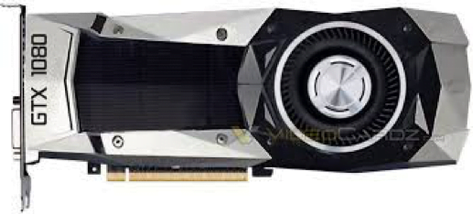
Although not essential for a composer we will cover graphics. Let’s face it you may want to game on this computer too or need the system to be able to cope with post-production, then something quite beefy would be sensible.
DAW is the software you will use to create your music. This is your canvas and orchestra, which can unleash your genius. Not all DAWs are created equal and trying to figure out which one is best can be difficult.
Like the MAC or PC question, everyone has an opinion on which is king. So, with that said, we use Pro Tools and always have! It’s just what we prefer.
That doesn’t mean you must agree with us! So here are some other options.
There are literally tons of loops, samplers, instruments, and basically it sports everything you need to go from scratching up ideas for a song to finishing the master mix. It’s also affordable when compared with most major DAWs. Only downside? It works exclusively on the Mac.
German-made DAW software. Cubase has a steeper learning curve with its sophisticated interface that takes some time to get used to. The samplers included do not give you the best sounding instruments on the market, but they are usable. I find myself digging into 3rd party VSTs like Native Instruments Komplete (which is excellent) when on Cubase though. The thing I really like about Cubase was its stability. Close to no unexpected crashes when producing on Cubase. Cubase also works on the PC and MAC, so collaboration would be a breeze.
Ableton Live is the must-go DAW software for electronic producers. The workflow on Ableton is different from the other DAWs. You can work really fast, creating lots of tweaks on your audio and tracks. If you are into electronic music, Ableton Live is a software you need to at least try. Ableton Live lacks a score editor, though.
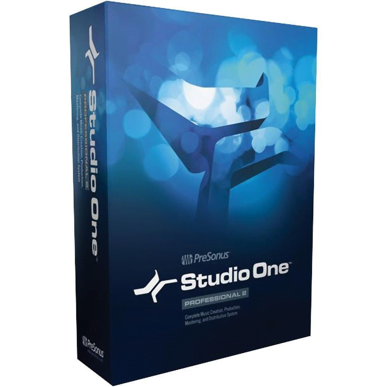
Studio One was said to be the easiest DAW to use because the DAW is based on a drag-and-drop structure. Everything from instruments, audio tracks, and effects can be dragged and dropped into the arranger window. Studio One was made to be the least technical among the major DAWs so you only focus on the music and not the technical parts of using a DAW. I somehow find Studio One limited in terms of effects, functionality, and features. For example, it lacks surround mixing and score editors. If you can live without having an integrated score editor and want something straightforward/easy, take Studio One for a spin.
Pro Tools recently launched its new subscription-based plan where you can subscribe to use Pro Tools for only £24.99 a month. Known as the industry standard, most professional studios would be using Pro Tools, so if you’re thinking of joining the pro level, starting off with the lighter version of Pro Tools isn’t a bad idea at all. It used to be the case that Pro Tools only worked with its dedicated hardware - MBox, Digi 003, etc… and the various Pro Tools HD setups. Thankfully that has now changed and it will work with any 3rd party hardware. We personally like the uncluttered appearance of the software. The tools are laid out in an easy-to-understand way. Again, just our opinion! Also, it works on both Mac and PC.
Pro Tools
Anyway! That’s enough for now. Next, we’ll be dealing with picking the perfect Headphones.
We hope you’ve found this blog helpful! If you enjoyed this blog don’t forget to follow us on: Twitter, Facebook, and Instagram for your daily dose of media, music, production & drone chat!
As we stride into the New Year we here at LA Media feel buoyed up by the Government’s release of a new consultation document on the Benefits of Drones to the UK. How can the drone market Benefit the UK? Well, PwC has estimated that the emerging global aerial market for business services using drones is over £102 billion, which is why the UK Government is keen to grab a slice of that pie.
The Teal Group’s 2015 market study estimates the global aerial drone market over the coming decade will grow from £3.22 billion to £11.27 billion by 2025, totaling £74.85 billion in the next ten years – pretty exciting stuff!
On 21 December 2016, the Department of Transport within the UK Government released a consultation document titled “Unlocking the UK’s High Tech Economy: Consultation on the safe use of drones in the UK”. Essentially, they are seeking opinions on how to harness the positive benefits of drones for the public and commercial services. In this blog, we will review some of the key points they tackle and share our two cents on the issue.
The UK Government wishes to identify a safe path to ensure that the UK captures a large share of this global drone market. They note that the UK already has a significant share of the registered drone operators in the EU and globally, and that the UK’s proportionate risk-based regulations are already viewed favourably by industry worldwide.
The UK Government believes that the new drone business will bring lots of other benefits too. The drone market will contribute to taxes to the public purse, boost local economies, stimulate job growth and lure more investors to the UK. The ultimate goal is to make Britain the global go-to place for new technologies such as drones.
For the full document please visit their website. We have picked out some of the points discussed in the document which we feel able to comment on after nearly four years of commercial drone flying within the UK.
Why we are so happy!
As drone code-abiding citizens here at LA Media, we were really pleased to see the government take this step. Firstly, because it acknowledges what we’ve been saying for years - that the drone market has a huge potential for growth and could be quite the money maker for the UK. It is a sector that could keep on expanding while other sectors are still reverberating from Brexit.
Secondly, we are thrilled to see they are tackling the issue of drone safety as this will help shape up some of the cowboy drone operators out there. There needs to be a much clearer guide for drone operators, particularly domestic users.
As Lord (Tariq) Ahmad of Wimbledon, Minister for Aviation at the Department for Transport 2016 states in the consultation document: “The vast majority of drone users are law-abiding and have good intentions…it is likely that some are not aware of the rules."
Thirdly, we are happy that the government isn’t putting out a dictate. With this document, they are seeking consultation from the public/drone community to ensure that legislation is approached sensibly. But it is an important step as drones are developing so fast, it’s hard to keep up with them.
Each month a new drone appears on the market and it feels like every day people are finding new and innovative ways to use them.
Key Points Addressed
To provide greater drone safety assurance to the public
Address the increasing demand for beyond visual line of sight (BVLOS) drone flying in the commercial sector
To increase engagement with future drone pilots
To increase Dronecode awareness at the point of sale
To facilitate a supportive innovative environment for drone projects
Improve the application of geo-fencing as a safety net
Increase the use of the NATS free drone safety app ‘Drone assist’
Update drone guidance rules
To implement a drone traffic management system to improve security and safety
Introduce a mandatory drone registration scheme (possible drone registration cost)
To find a solution so as to create more drone testing zones
What we think needs further consideration
Better Drone insurance
The government has addressed drone operators' concerns with regards to insurance but we feel they need to take a more flexible and comprehensive look at drone insurance. As drone enthusiasts will know not all drones are made equal.
While some are tiny sparrow-sized things that won’t cause any damage there are the heavy-lift rigs which are essentially huge sky predators. The government needs to decide what size of drone merits what type of insurance.
Another issue that must be addressed with regards to drone insurance is liability: namely how to assess if it is drone failure or pilot error. For example, if you had a flyaway and the drone was not recovered (it may have plunged into the North Sea) how will you figure out where liability and responsibility lie? Even if you do get the tatters of your rig back it can still be a real challenge to figure out exactly what went wrong.
Drones are becoming increasingly fail and idiot-proof, but, mechanics can - and will - fail at some point.
Drone registration & electronic identification
A big thing that they have adequately addressed is the issue of drone registration. For larger drones - more than 250 grams - all drones may need to be registered. We applaud this move because it will encourage hobbyists to be more careful!
Safer drone flying will help improve the current public perception of drones and keep everybody safe; like having trackable license plates on your car, the police will be able to scan your drone from the ground and find out who exactly flew dangerously near an airport.
However, we feel that this doesn’t solve the problem of many bespoke self-built drones. Like Bruce Wayne ordering all the batmobile parts from different countries, a skilled drone builder can make his /her drones untraceable by ordering from various international distributors. We think that it would make more sense for drones to carry an identifier that is specific to the operator/ pilot rather than the drone. This way builders can chop and change as much as they like without having to register each new thing they might build whilst still retaining traceability.
Get involved in the great drone debate
The Public dialogue on drone use in the UK was used to inform the government’s consultation proposal. The closing date for this consultation closes on 15 March 2017. So if you have a bee in your bonnet or think there is something they haven’t addressed about the drone market make sure you respond.
This is your chance to make an impact on the way the UK develops its drone market. You can respond by writing to the address given below:
We hope you’ve found this blog helpful! Let us know what you think in the comments, tell us if we’ve missed something out. If you enjoyed this blog don’t forget to follow us on: Twitter, Facebook, and Instagram for your daily dose of media & drone chat!
LA Media is super excited for the 3rd annual New York City Drone Film Festival, which is taking place this year on 17, 18 & 19 March 2017. The New York Drone Film Festival is considered to be the world's first event exclusively dedicated to celebrating the art of drone cinematography.
A Drone Film Festival?
This is a new version of this event. Just ten years ago there wouldn't have been a demand for this sort of festival and probably nobody would have taken drone footage so seriously. Director, landscape photographer, and aerial cinematographer Randy Scott Slavin founded the Festival in 2014 with a desire to change the perceptions of drones. "I'm tired of drones being synonymous with questionable legality, FAA regulation...I want to celebrate the art of aerial cinematography". The goal of the festival is to offer drone operators/ filmmakers from every corner of the globe an opportunity an international platform to exhibit their work in front of industry professionals and the drone community.
The Who?
Although you've missed the 2017 deadline, if you think you’ve got serious drone cinematography chops, you should start thinking about submitting your work next year. The jury is comprised of a select group of film & television professionals and drone cinematographers. Some of those include Creative Producer Sam Scheffer at Mashable, Director of Product Experience at DJI Randy Jay Braun, and many more.
This year the festival selections will be announced on or around January 22nd, 2017 and all successful applicants will be notified.
The What?
Wondering what type of footage they are looking for? Well, good news for all the drone lovers out there, it’s got more categories than the Golden Globes. There really is something for everyone. See below for the different categories you can enter in the drone film festival.
Drone Categories
NARRATIVE - A great film always centers around a great story and a drone film is no different.
LANDSCAPE/ARCHITECTURE - There's no question that drones are an ideal tool for shooting landscapes and architecture. Show the judges how you are taking it to the next level?
SHOWREEL - Aerial cinematographers tend to collect a lot of footage. This category is for those who wish to showcase a wide variety of their work.
NEWS & DOCUMENTARY - Aerial Cinematography used to shoot unscripted subjects. This is about real people in real situations.
TECHNICAL - Getting great drone shots is always technically difficult to achieve. However, sometimes you're flying in extreme weather conditions, flying $100k worth of gear on your drone, or dealing with intricate choreography. This category is for those truly exceptional technical achievements in drone cinema.
FREESTYLE FPV - FPV pilots, this is your category. Have footage of an outstanding freestyle run? Submit here. Have some high-octane race footage? This is the place. This category is not about picture quality… it’s all about flying skills.
DRONIE - The "drone selfie." Enough said.
EXTREME SPORTS - Extreme sports are best seen via drone and we want to see the best extreme sports footage in the world. Mountain biking, wing suits, motocross, skateboarding, and everything in between - show us what you've got.
X-FACTOR - Does your film not fit into the other categories but is still f@&ing awesome? You can still get involved and submit.
FEATURING DRONES - This category is for films that feature drones. This includes stories about drones or starring drones. Films submitting to this category DO NOT have to be shot using drones.
STILL PHOTOGRAPHY - Motion picture photography and still photography are completely different arts. Finalists in this category will their work printed and displayed at #NYCDFF 2017 screenings and events.
The Rules
The submission guidelines are as follows: all films must be 5 minutes or under in length and at least 50% must be shot using a drone or UAV. All "Dronie" entries must be less than 1 minute in length. All "Showreel" entries must be 3 minutes or under in length. Films submitted to the "Featuring Drones" do not have to be shot with drones.
Why you should do it?
Well one, what have you got to lose? It is a great opportunity to get your drone work noticed by some of the big players. Greater exposure for your work means generating more opportunities for you to fly professionally. You might even win a new drone in the process! Also although drones are awesome how cool would it be to be part of New York’s biggest drone film festival? See no excuse needed. See what last year's winners had to offer. If you think you can top it then you should definitely make a note in your diary to submit your work next year. Follow the action online this year with the hashtag #NYCDFF.
We hope you’ve found this blog helpful! Let us know what you think in the comments, tell us if we’ve missed something out. If you enjoyed this blog don’t forget to follow us on: Twitter, Facebook, and Instagram for your daily dose of media & drone chat!
Buying a drone can be a daunting task, believe us we know. Depending on who and what you are buying it for it can be a significant investment. But more importantly, you want to get the right drone for what you want it to do!
Here is our handy 'drone-buying guide' to help you pick the right drone for 2017.
We’ve broken our drone picks down into the function. There is a drone out there to suit every from a professional operator to a budding photographer looking to add a new dimension to their portfolio! Or maybe you are just thinking of buying a drone for fun, we've found something for everyone.
Key Drone Terms to Know When Buying a Drone
RTF = Ready To Fly so no further outlay is required to get the drone in the air.
BNF = Bind 'N Fly which means the buyer will need various other equipment to fly the drone. In the case of FPV racers, this would amount to a further £500+ outlay for the Vortex (Transmitter, goggles, batteries, charger).
If you are looking for something to start out flying drones with then look no further than the excellent Horizon/Blade Inductrix. Unlike most other drones in this category, the Inductrix features both self-leveling and “Acro” modes which can be selected via the RC controller. What this means is you can start self-leveling to get the basics of flying down and switch to Acro when you start getting more adventurous.
Acro mode is much more difficult to master as the quad will not self-level when you release the sticks – it just keeps going until the pilot gives a corrective input. Flying in Acro on this little guy is a blast and will keep even the most seasoned pilot entertained for hours on end and is robust enough to deal with the punishment of flying indoors.
This drone is something of an evergreen in the beginner/ 1st drone market is the Hubsan X4. Whilst you are not going to produce a Hollywood blockbuster with it, it does feature a camera for taking pictures and video (though no live video feed). The X4 features stabilisation and self-leveling which make it ideal for noobs and keeps coming back for more, crash after crash. Flips & rolls are possible although these are performed as an automated function – there is no Acro mode on this drone.
Whether it’s for you, or someone you love, then you won’t go wrong with either of these amazing drones. The newly released Phantom 4 Professional takes the already competent Phantom 4 and adds a camera! Already this is a quantum leap in terms of quality in the consumer/ semi pro-drone market. Whilst the Mavic Pro, Phantom 4 (not pro), and Inspire X3 cameras (among others) all share the same small 1 over 2 thirds inch image sensors (similar to those found in phone cameras), the Phantom 4 Pro uses a massive (by comparison) 1 inch Sony sensor as found in their high-end RX100 compact camera (the latest version of which retails for £1000!).
The lens is also greatly improved featuring variable aperture (f/2.8 – f/11) and variable focus. Thanks to these new improvements, filmmakers are offered far greater dynamic range, low light handling, and the ability to achieve more cinematic shots by shooting at wide apertures to give a shallower depth of field (which is also helped greatly by the large sensor). Its 360-degree obstacle avoidance system is a welcome addition for less experienced pilots or for those wishing to smell the trees without actually kissing them!
In summary, whilst not as portable as the Mavic (see below), the greatly improved camera will put it on the top of must-have drones for those who value the quality of output over outright convenience (we want one!).
The DJI Mavic Pro is a formidable package for getting great aerial footage and stills when you simply can't manage the bulk of a larger drone. Even a DJI Phantom is a bulky proposition when faced with carrying it up a mountain (no seriously we’ve done that) or when your mode of transport is a bicycle.
The camera is decent enough to get good 4K footage. To put that into perspective, it shoots video and stills of equal quality to the Inspire 1 with the X3 camera – the combination which we used for professional work before we upgraded to the X5R camera! How times are changing!
Buy it if you can get a hold of it, it’s a game-changer!
Cost: £1099 RTF
For the Casual Drone User / for fun!
So if you are new to drones or want to get one for someone who might like them then this is for you! Here we focus on the fun, the application, and the price.
The Parrot Bebop 2 is a fun feature-rich “selfie drone” capable of 25-minute flights and full HD video. Since it doesn't have a gimbal to stabilise the camera it relies only on digital processing to smooth the video. This drone is aimed not at filmmakers but at those who are looking for something that's easy to fly, relatively inexpensive, and fun. It features some clever flight modes including auto-tracking so the drone will follow you automatically tracking your movement making for some great selfie moments.
It also features a live video feed to your phone which also acts as the controller, and has the option to purchase an FPV headset, so you can really immerse yourself in the action.
Priced similarly to the Bebop 2, we have the Phantom 3 Standard edition from DJ here at LA Media. While this drone lacks the smart flight modes of the Bebop 2 (such as auto-tracking), the Phantom 3 standard has the upper hand when it comes to image quality thanks to its 3 axis stabilised gimbal and 2.7k video capability.
For more experienced pilots who want reasonable quality video on a tight budget, the Phantom 3 Standard is the way to go.
Cost: £449.99 RTF
FPV RACERS - For Those with the Need, the Need for Speed
The FPV drone market is, without a doubt, the most complicated to make a solid recommendation on. This is due to the fact that most pilots build their own using a seemingly infinite combination of different components. So our recommendations are therefore based on those FPV Drones that are bought ready to fly – a wise suggestion for someone new to the FPV Drone racing scene.
For an out-of-the-box FPV drone, the Vortex 250 Pro is a definite winner. Everything on this racer has been designed to work together which results in a flying experience without any of the hassle associated with building & tuning it yourself. Every feature you need is there, including a very nice on-screen display (OSD in drone speak) and it has the option to choose pre-programmed flight characteristics to suit your style. Of course, you can still manually tweak things to your liking (PIDs, RC rates, etc ???) to get exactly the feel you're after.
The Vortex 250 Pro is one of the most robust drones you'll find and withstands punishment extremely well – we’ve seen a YouTuber who flew his drone at full speed (~70mph) into a tree and only broke the propellers!
Our resident drone pilot John Banks can vouch for its durability as he has personally smacked his into the ground a multitude of times with no damage. Believe us if John says it can survive a good thump then you can Bank on it (sorry a hideous attempt at humour….get it Banks…bank?).
The Horizon/ Blade Inductrix FPVis basically an Inductrix (see above) with beefed-up motors and a factory-fitted FPV camera. The birth of the Inductrix FPV came about through FPV pilots buying the standard Inductrix and mounting an aftermarket FPV camera... this was the birth of the “TINY WHOOP”.
Horizon obviously saw a gap in the market so started producing their own camera-equipped version... it was an instant success. The “Tiny Whoop” indoor racing scene seems to be gaining at least as much momentum as the regular FPV scene and for good reason – it's ridiculously fun and addictive.
Cost: £85.99 BNF or £164.99 RTF
Conclusion
Of course, there are many, many more drones out there to choose from. It feels like new models are being released every other day. If we tried to keep up with the pace of new drones on the market, we would be writing this article indefinitely.
If we haven’t recommended anything you fancy, remember a little bit of research will greatly help narrow the choice depending on the needs and expectations of you, the consumer. However, we feel that we’ve given you a nice selection to start with.
If you feel strongly that we’ve missed something, please let us know in the comments, and please share your drone thoughts with us. Whether it's your first drone or fifth drone we really hope this guide helps you with buying a drone!
*The current Hubsanwebsite is currently down which is why instead we've linked it to amazon where you can still purchase this drone.
We hope you’ve found this blog helpful! If you enjoyed this blog don’t forget to follow us on: Twitter, Facebook, and Instagram for your daily dose of media & drone chat!
It’s happened, drones have officially gone mainstream. To say that drones have become popular in recent years is an understatement. Drones are considered to be one of the must-have gadgets for Christmas 2016. Because drones are becoming so popular we thought now would be a good time to review the newly updated Drone Safety Code so nobody inadvertently does anything illegal in the new year!
Drones aren’t just a toy for grown men or kids. Not only are drones a sophisticated piece of equipment but earlier this year PriceWaterhouseCooper (PwC) put an estimate on the very near future value of the global commercial application of drones to be $127bn. Not too shabby eh?
The future of drones is exciting with some hailing FPV drone racing as the next Formula One. However, recently the CAA published its Consumer Drone User report, which highlighted a potentially large problem, Drone Safety.
The Drone Safety Code isn't Just for Commercial Pilots
Due to this increase in drone popularity the Civil Aviation Authority (CAA) recently launched a revised and improved version of its drone safety code.
Commercial drone flying has always been strictly regulated but for hobbyists, there was little guidance. Obviously, they couldn’t fly over nuclear reactors or such things, but the non-professionals had greater freedom than the pros.
Any form of recompense, no matter how small, even a drink down the pub, and you would be considered a commercial operation. This meant that you'd have to go through the process of becoming CAA certified. However, this revised Drone Safety Code is intended for hobbyists and the parents of hobbyists. Just because you bought your drone in a toy store doesn't make it child's play.
The Revised Drone Safety Code
Recently the House of Lords EU Committee called for the compulsory registration of all commercial and civilian drones, amid growing concern over the use of drones by private individuals with little knowledge of aviation rules.
According to the CCA report, the two most common words associated with drones amongst people 35 – 54 / 55+ are “Unregulated” and “Dangerous.” According to the CCA report, the increased uptake of drone use has led to an increase in the reported instances of irresponsible flying.
Now the general drone using population is being encouraged to know the Drone Code and to practice safe drone flying. Ignorance is not an excuse and like the CAA we'd like to promote responsible drone operation for all!
Let's face it drones come in many shapes and forms, they regularly receive bad press e.g. military drones, personal drones crashing into planes at Heathrow, or maiming pop stars on stage... - poor Enrique Iglesias.
You get the idea, drones need a bit of a PR makeover. The CAA is currently working to reverse this public image via their shiny new Drone Code website. If consumer perception of drones is allowed to remain dictated by coverage of irresponsible use, then the devices will always be seen with negative connotations and as a threat. We thought it might be good to now focus on the key principles of Drone Safety in this blog, for both hobbyists and commercial drone pilots.
The CAA’s revised Dronecode has a handy mnemonic, which is a useful tool for any drone lover, whether commercial or hobbyist. Luckily it spells out the object of our affections, DRONE. See below to find out what it stands for and be drone safe.
Don’t fly near airports or airfields
Remember to stay below 400ft (120m)
Observe your drone at all times – stay 150ft (50m) away from people and property
Never fly near aircraft
Enjoy responsibly
See, avoid, reduce conflict
“Legal responsibility lies with you, failure to fly responsibly could result in criminal prosecution” - Drone Safety Code by CAA
Never lose sight of your drone, not even for a few seconds! To be safe you must maintain a constant line of sight with the drone. You need to do this to ensure that the drone doesn’t go crashing into airplanes, power-lines, buildings, or anything else up in the sky. Many new drones have collision avoidance and fail-safes but that isn’t a reliable way to operate a drone.
Technology can and does fail all too frequently. If you are flying alone as a hobbyist, then you must keep your eye on the drone, which means no flying beyond the visual line of sight. “If your drone endangers the safety of an aircraft it is a criminal offense and you could go to prison for five years” - Drone Safety Code by CAA
If you are using a drone for production, then you must have a second person as a spotter. If you are flying trying to capture footage and even possibly looking at a monitor, you cannot keep your focus sufficiently on external dangers. If you, the pilot, are watching the monitor, then you need someone else to spot your drone.
Enjoy responsibly – don’t be that drone operator
Hobbyists and pros alike cannot fly directly over large crowds of people. If you have a CAA licence, the correct permissions, have a safety plan, and full control then goes ahead with caution. The rules state that you cannot: “fly directly overhead (at any height) or within 50 metres of persons, vehicles, vessels, and property, unless those persons are 'under the control of the person in charge of the SUA'.” For example: if filming at a large music festival it would not be sufficient for the audience to be informed of a drone filming via a public address system, or in advance by e-mail or text.
Yes, permission has occasionally been granted for drone flights at public events by special arrangement. However, these permissions have been extremely limited and usually involve a segregated take-off site with the drone operating only vertically within strict lateral limits. There is no allowance for direct over-flight of persons.
Know the ins & outs
The Air Navigation Order defines a congested area as being 'any area of a city, town or settlement which is substantially used for residential, industrial, commercial or recreational purposes. Permission must be obtained from the CAA to land or operate within a congested area, this is a PFCO (Permission for commercial operation). Permissions granted may be valid for one flight or for a period of up to 12 months. If you want to fly a drone in a congested area or near people, then you must first obtain permission from the CAA.
If you are a hobbyist don’t fly over groups of people e.g. at a busy beach. Be a considerate drone operator and remember not everyone wants a drone near them. Try and understand it from the publics' point of view. Never, ever just risk it. If you are in doubt about meeting any of the conditions above, don’t fly. It isn’t worth the hefty fines and possible jail time.
We hope you've found this blog helpful! If you enjoyed this blog don’t forget to follow us on: Twitter, Facebook, and Instagram for your daily dose of media & drone chat!
Here at LA Media, we have over 10 years under our belt of creating professional large-scale time-lapse for both the web and broadcast.
From the crafting of giant sand sculptures to the creation of huge buildings, we have time-lapsed numerous projects, both manned and unmanned.
In this blog, we would like to share with you the professional time-lapse tips that we’ve gathered over the years on the various projects we’ve delivered.
A time-lapse video is a useful tool for companies. It allows them to showcase ongoing projects over a period of time. Not only is it a versatile marketing tool but it also acts as an archive of the project. There is something incredibly satisfying when watching two years’ worth of work come together smoothly in two minutes.
When you are making a time-lapse there is little wiggle room for mistakes. If you mess up - or the camera fails - you cannot get back the time and progression you've lost.
Say you muck up three months of construction progression footage you can’t really go back to the client and ask them for a do-over.
Simplicity is not so simple to attain!
While time-lapse may look easy, they aren’t so straightforward. It takes real skill to make something look that easy! Apps and auto time-lapse cameras are perfectly good if you are only creating a video for your own personal social media feed. However, if you are looking to show off your brand, company, or work then you will need to invest in something with much higher quality. With our handy time-lapse
Apps and auto time-lapse cameras are perfectly good if you are only creating a video for your own personal social media feed. However, if you are looking to show off your brand, company, or work then you will need to invest in something with much higher quality.
With our handy time-lapse tips, you will learn how to run a practically perfect production!
Great Expectations!
Nowadays, you can buy a time-lapse camera that is fully automatic; however, we wouldn’t recommend this, as they often don’t provide you with still photographs. Often, the resulting footage is in a low-resolution format, which can leave the client feeling underwhelmed.
Another major drawback is that you cannot remotely monitor the project with this type of camera. You will have no idea when, and if, something goes wrong until you physically go to check up on the equipment.
Basically, the risk of error is very high with this sort of camera. Despite all the new technology time-lapse is still an incredibly fragile process: you're only one glitch away from having no product.
Our five time-lapse tips ensure that you can deliver a professional quality final product
1. Don't skip the recce
An on-site recce is essential. An extra day for a recce may seem like a faff but it really helps you to establish the challenges of the project. For example, how will the project evolve in terms of size and height? Where will you place the time-lapse installation and will you need special access, security assistance or equipment e.g. cherry picker rental?
This recce ensures all costs are identified allowing you to present the client with an accurate budget for the effort involved.
2. Waterproofing
Come hell or high water, the time-lapse must prevail, so let's talk about weather-proofing. A plastic bag or an umbrella over your camera ain’t gonna cut it. You need to make your own special apparatus. This is basically customising a weatherproof box to protect your equipment.
Inside it needs to have the following: an adjustable mounting position for the camera within it, a glass frontage to allow the camera to see out yet remain protected, weather-proof access for power leads, interior fittings for 4G routers (a telephone connection) & Mac minis. Without this, you are risking the client's product and your equipment.
3. Plan Ahead
After you have the client agreement, you need to think about installing and starting the time-lapse. This process usually takes a day. Wherever the camera is perched it must be secure. Mother nature can be a fickle lady and may just throw all her might at your camera. So plan for the worst but hope for the best, and make sure it is so well secured even Zeus's thunderbolts wouldn't shift it.
4. Do the math!
Time for the maths bit...don't panic it's really simple. The next thing you have to decide is your frame rate: this is determined by the nature of what you are looking at. If it is a construction project i.e. a building, you will want one frame every ten to 15 minutes.
This is a good starting point, but you need to know how long the client wants the overall video to be. Bear in mind that video runs at 25 frames per second of video: this should help you calculate your frame rate. For example, if your client wants 5 minutes of video footage, then you need to capture 1,500 frames just to make one minute of video. Therefore, your five-minute video will require 7,500 frames in total.
On top of all that, make an allowance for frames that you won't use e.g. periods of inactivity such as night-time and weekends. If you are shooting people you need a much higher frame rate. You want people to look smooth in their movement, not like a badly animated gif, as funny as that would be. You’re looking at something like one frame every 0.5 seconds.
Still with us? Don’t panic this is a real mind buster and even in our office we always defer back to our most senior director to do the maths!
5. Get connected
Finally, start the installation on-site and make a phone call back to the base to confirm that the remote monitoring via the 4G router is working.
People often forget to check these small but crucial things. Once everyone is off-site you are pretty much snookered if you haven’t got the connection.
We hope that these time-lapse tips help you on your next shoot!
We hope you've found this blog helpful! Let us know what you think in the comments, tell us if we've missed something out.
If you enjoyed this blog don’t forget to follow us on Twitter, Facebook, and Instagram for your daily dose of media & drone chat!
The Netflix series, formerly known as Scrotal Recall, now known as Lovesick is a British sitcom created by BAFTA-nominated writer, Tom Edge. Starring Johnny Flynn, Antonia Thomas, and Daniel Ings, the show is a fun romantic comedy that follows the exploits of the main character Dylan.
Image by LA Media 'Drone Filming Over Loch Lomond'
The series, which was set in Glasgow, follows Dylan on his mission to contact his former romantic partners to inform them he has chlamydia. So as you can imagine it has a fantastic amount of hilariously awkward cringe-worthy material. Originally broadcast on Channel 4, Lovesick was quickly picked up by Netflix and made available to US and Canadian audiences.
Image by LA Media 'Drone Filming Over Loch Lomond'
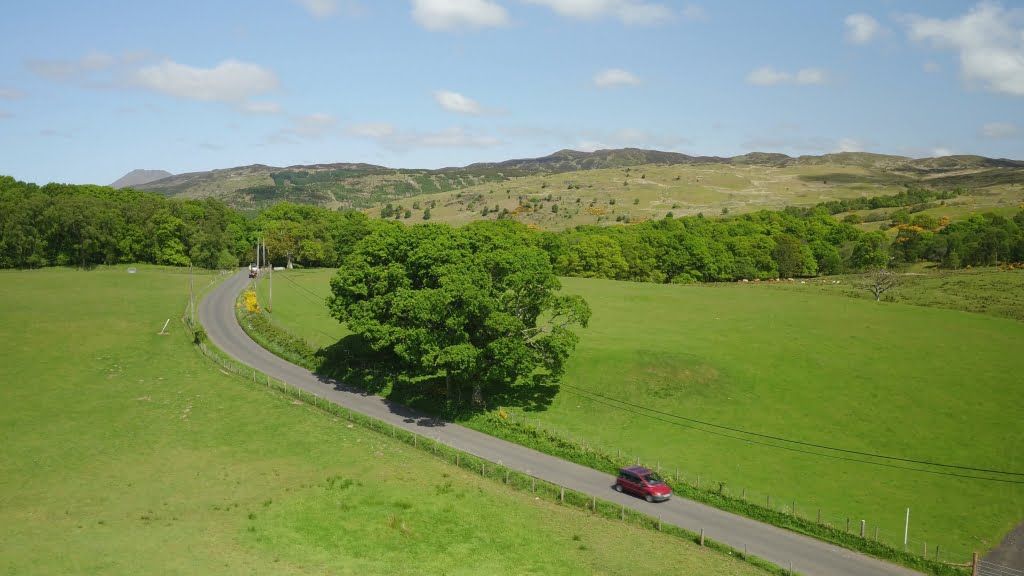
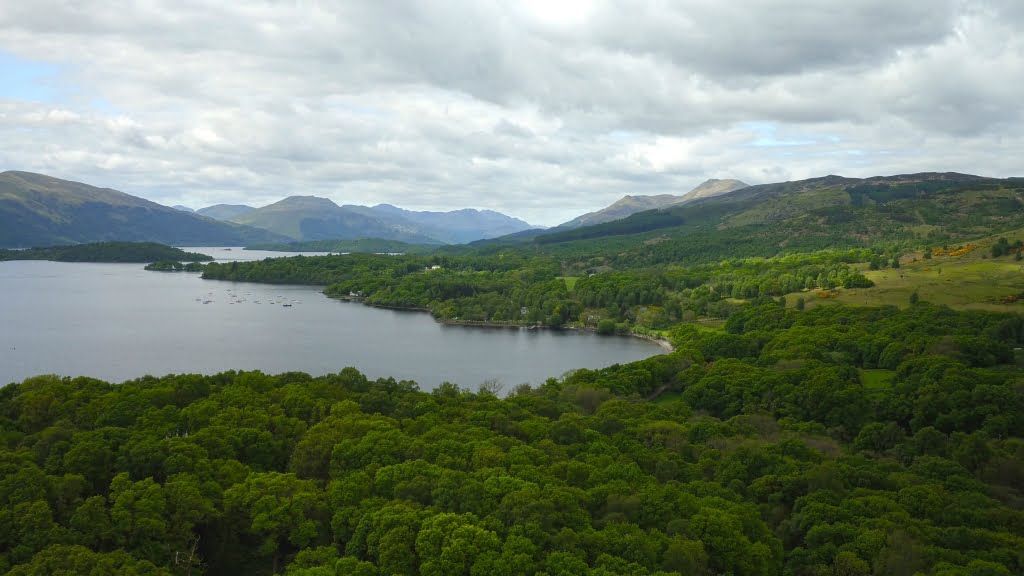
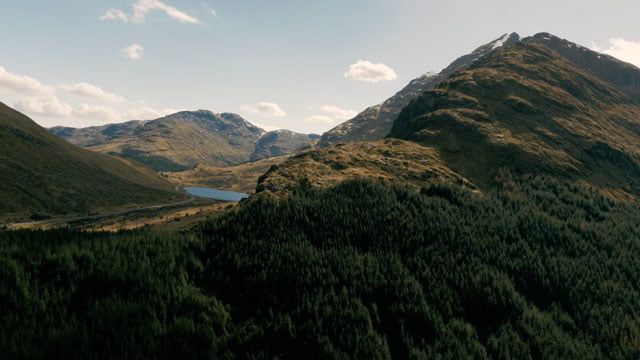
Due to its success across the pond, the show was commissioned by Netflix for another cracking season comprised of eight episodes. This is where we step in, LA Media was asked to film the drone footage for season 2! We filmed a lot of scenes at Loch Lomond in the summer of 2016 using our DJI Inspire with the Zenmuse X5R. Filming near Loch Lomond was a real pleasure as it is one of the most beautiful woodland areas in Scotland.
Image by LA Media 'Drone Filming Over Loch Lomond'
With majestic lochs, epic lowland landscapes, and plenty of mountains there was no shortage of stunning backgrounds. We got lots of vibrant shots, which you can now view on Netflix or you can see on our Facebook and Instagram. The images on this blog show you just how beautiful a location it was and amazingly, for Scotland, how good the weather was. We enjoyed plenty of bright sunshine and clear skies! Perfect conditions for our drone team to work their magic.
If you enjoyed this blog don’t forget to follow us on: Twitter, for your daily dose of media & drone chat!
To provide the best experiences, we use technologies like cookies to store and/or access device information. Consenting to these technologies will allow us to process data such as browsing behaviour or unique IDs on this site. Not consenting or withdrawing consent, may adversely affect certain features and functions.
Functional
Always active
The technical storage or access is strictly necessary for the legitimate purpose of enabling the use of a specific service explicitly requested by the subscriber or user, or for the sole purpose of carrying out the transmission of a communication over an electronic communications network.
Preferences
The technical storage or access is necessary for the legitimate purpose of storing preferences that are not requested by the subscriber or user.
Statistics
The technical storage or access that is used exclusively for statistical purposes.The technical storage or access that is used exclusively for anonymous statistical purposes. Without a subpoena, voluntary compliance on the part of your Internet Service Provider, or additional records from a third party, information stored or retrieved for this purpose alone cannot usually be used to identify you.
Marketing
The technical storage or access is required to create user profiles to send advertising, or to track the user on a website or across several websites for similar marketing purposes.




 This is a new version of this event. Just ten years ago there wouldn't have been a demand for this sort of festival and probably nobody would have taken drone footage so seriously. Director, landscape photographer, and aerial cinematographer Randy Scott Slavin founded the Festival in 2014 with a desire to change the perceptions of drones. "I'm tired of drones being synonymous with questionable legality, FAA regulation...I want to celebrate the art of aerial cinematography". The goal of the festival is to offer drone operators/ filmmakers from every corner of the globe an opportunity an international platform to exhibit their work in front of industry professionals and the drone community.